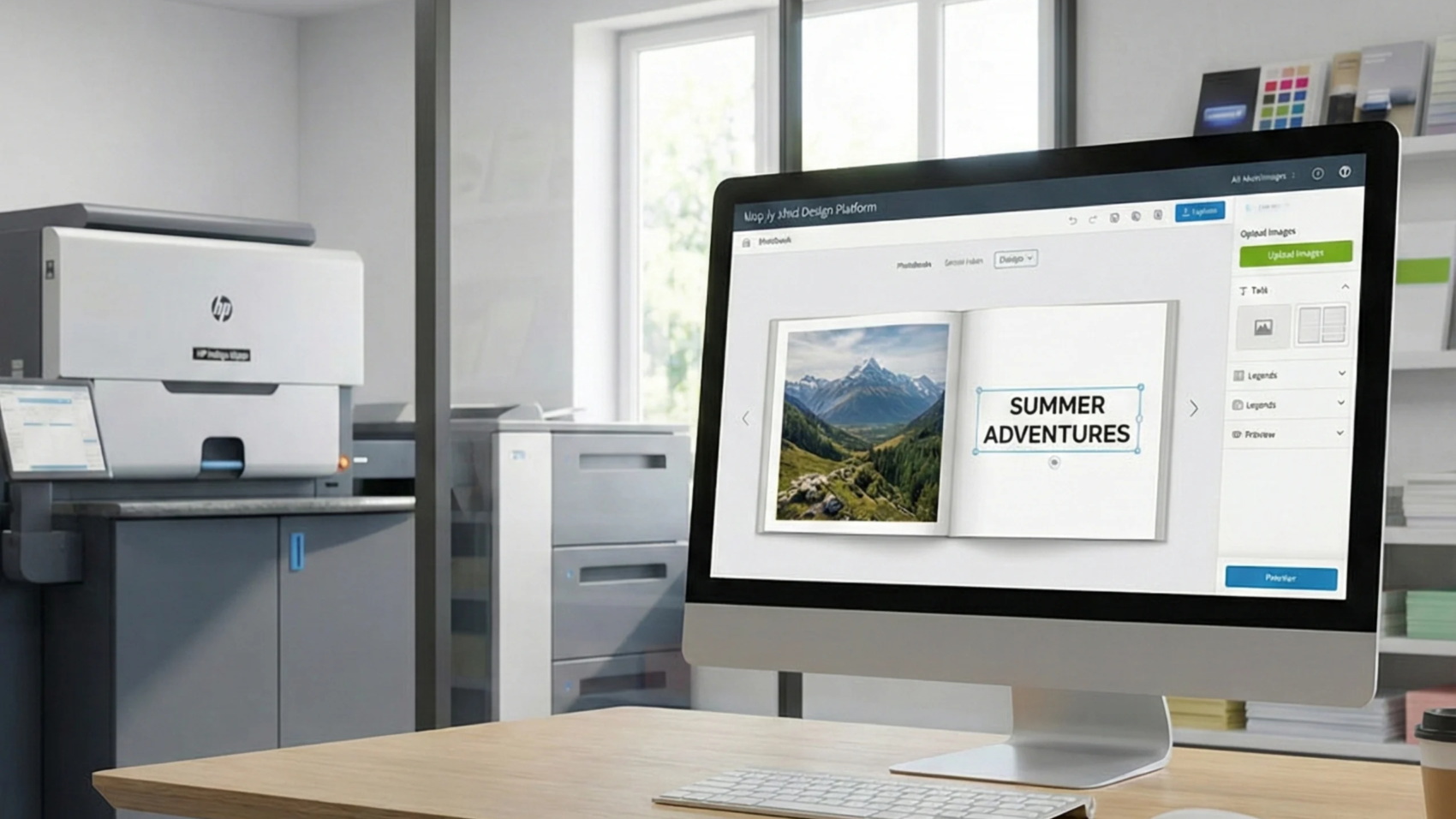
In today’s fast-paced print industry, managing orders efficiently is no longer optional – it’s essential. Many print businesses still rely on scattered systems, manual tracking, and constant follow-ups, which often lead to confusion, delays, and missed opportunities.
A centralized print dashboard changes this completely. It brings all your operations into one place, giving you full visibility and control over your print workflow. Platforms like PrintPoz are designed to help print businesses streamline operations and reduce manual effort.
The Problem with Manual Print Management
Without a proper system, print businesses face several challenges:
Orders spread across multiple platforms
Difficulty tracking urgent or delayed jobs
Lack of real-time visibility
Increased dependency on manual communication
Higher chances of errors and missed deadlines
As a result, teams spend more time managing chaos than focusing on growth. This not only affects internal efficiency but also impacts customer satisfaction and delivery timelines.
What Is a Centralized Print Dashboard?
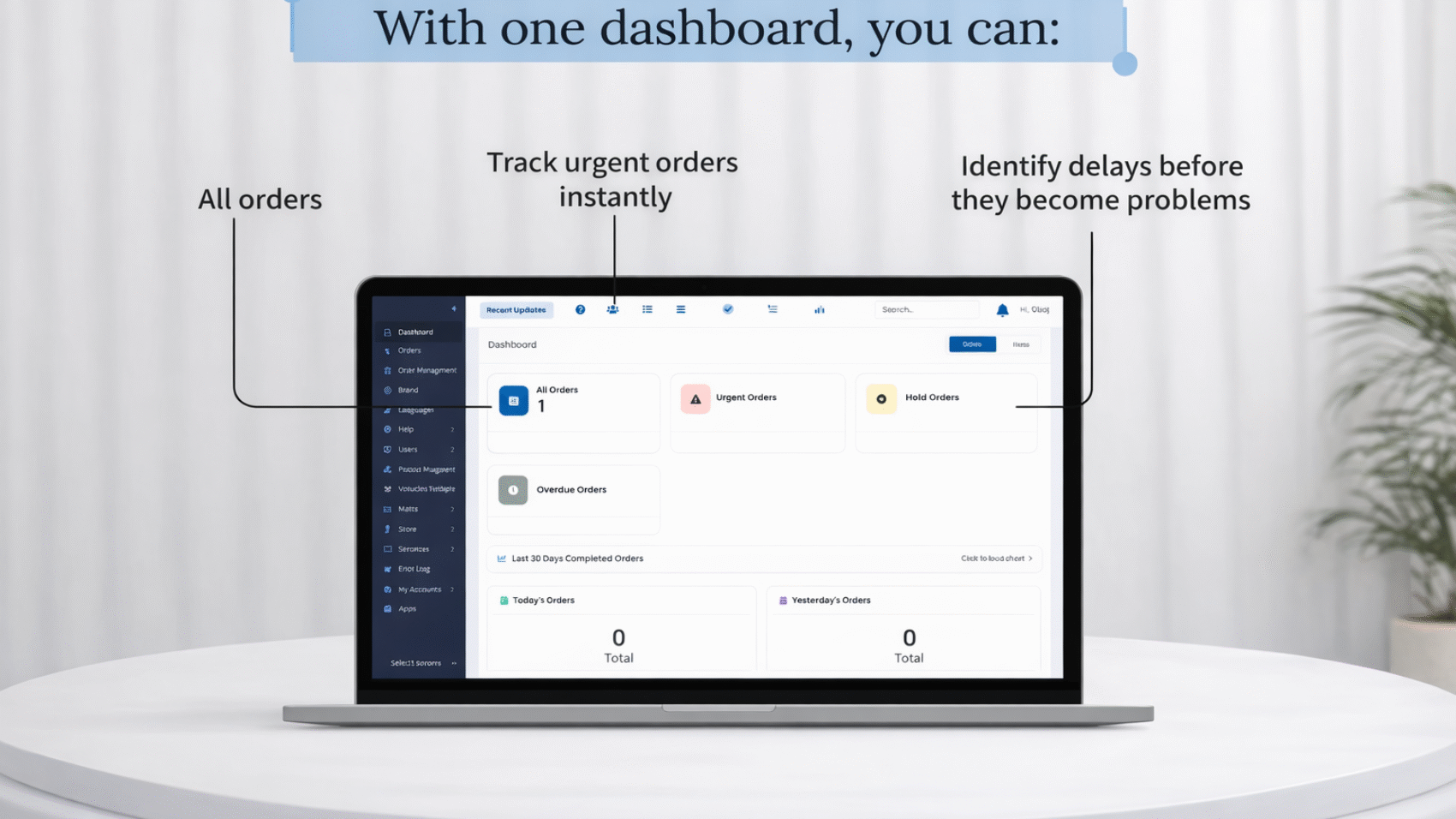
A centralized print dashboard is a unified interface where all your print operations are visible in one place. From incoming orders to urgent tasks and performance tracking, everything is organized and easy to access.
Instead of switching between tools or chasing updates, your team can manage everything from a single screen. Solutions like QuickOrders help businesses manage and streamline incoming print orders efficiently.
Key Benefits of a Centralized Print Dashboard
1. Real-Time Order Visibility
With a centralized system, you can instantly see all your orders in one place. This eliminates confusion and ensures nothing slips through the cracks. Real-time updates help your team stay informed at every stage of production.
2. Faster Decision-Making
When you have clear and structured data, you can act quickly. Whether it’s prioritizing urgent orders or resolving delays, better visibility leads to faster and smarter decisions.
3. Reduced Errors and Delays
Manual processes often lead to mistakes. A centralized dashboard helps standardize workflows, reduce human error, and improve overall accuracy in order handling.
4. Improved Team Coordination
When everyone works from the same system, communication becomes seamless. Teams stay aligned, responsibilities are clear, and tasks move faster without unnecessary follow-ups.
5. Better Performance Tracking
A dashboard allows you to monitor daily performance, track completed orders, and identify bottlenecks. These insights help you continuously improve your print operations and efficiency.
How It Helps You Scale
Scaling a print business isn’t just about getting more orders – it’s about handling them efficiently.
A centralized print dashboard enables you to:
Manage higher order volumes without chaos
Maintain consistency in operations
Improve customer experience
Reduce operational stress
Optimize resource utilization
Because of this, businesses can grow without increasing complexity. You build a system that supports growth instead of slowing it down.
From Confusion to Control
Traditional print workflows are reactive – you respond to problems as they happen.
A centralized dashboard makes your business proactive. You can identify issues early, manage priorities better, and stay in control at all times. This shift from reactive to proactive management is what separates growing print businesses from struggling ones.
Why Clarity Matters More Than Ever
Today’s customers expect speed, transparency, and reliability. If your internal processes are unclear, it directly impacts customer experience.
By using a centralized print dashboard, you create a smoother workflow that reflects in faster delivery and better service.
Conclusion
A good print system doesn’t just manage orders – it gives you clarity.
With a centralized print dashboard, you can track urgent orders, identify delays early, and monitor daily performance with ease. Less confusion means more control, and more control leads to better growth.
If you want to scale your print business efficiently, investing in a centralized system is the smartest move you can make.
Print editor features play a crucial role in shaping the customer experience in modern web-to-print platforms. In today’s competitive web-to-print industry, having an online print editor is no longer optional. Customers expect a seamless and intuitive design experience when ordering customized print products.
However, powerful print editor features are not defined by the number of tools available. Instead, the right print editor features focus on simplifying design and improving customer experience.
Modern print businesses are adopting advanced web-to-print solutions like PrintPoz to give customers the ability to design products instantly, preview results, and place orders with confidence.
The right print editor does more than help customers design. It transforms the entire print ordering workflow.
Why Print Editor Features Matter for Print Businesses
The right print editor features help print businesses simplify design, reduce manual work, and improve the overall ordering experience for customers.
A poorly designed editor can slow down customers and create frustration. On the other hand, a well-built editor simplifies the process and increases order completion rates.
When customers can design products easily, they are more likely to complete the purchase. This leads to:
Faster order placement
Reduced design errors
Improved customer satisfaction
Higher conversion rates
Solutions like QuickOrders help streamline ordering processes while powerful editors enhance the design experience.
5 Powerful Print Editor Features That Improve Customer Experience
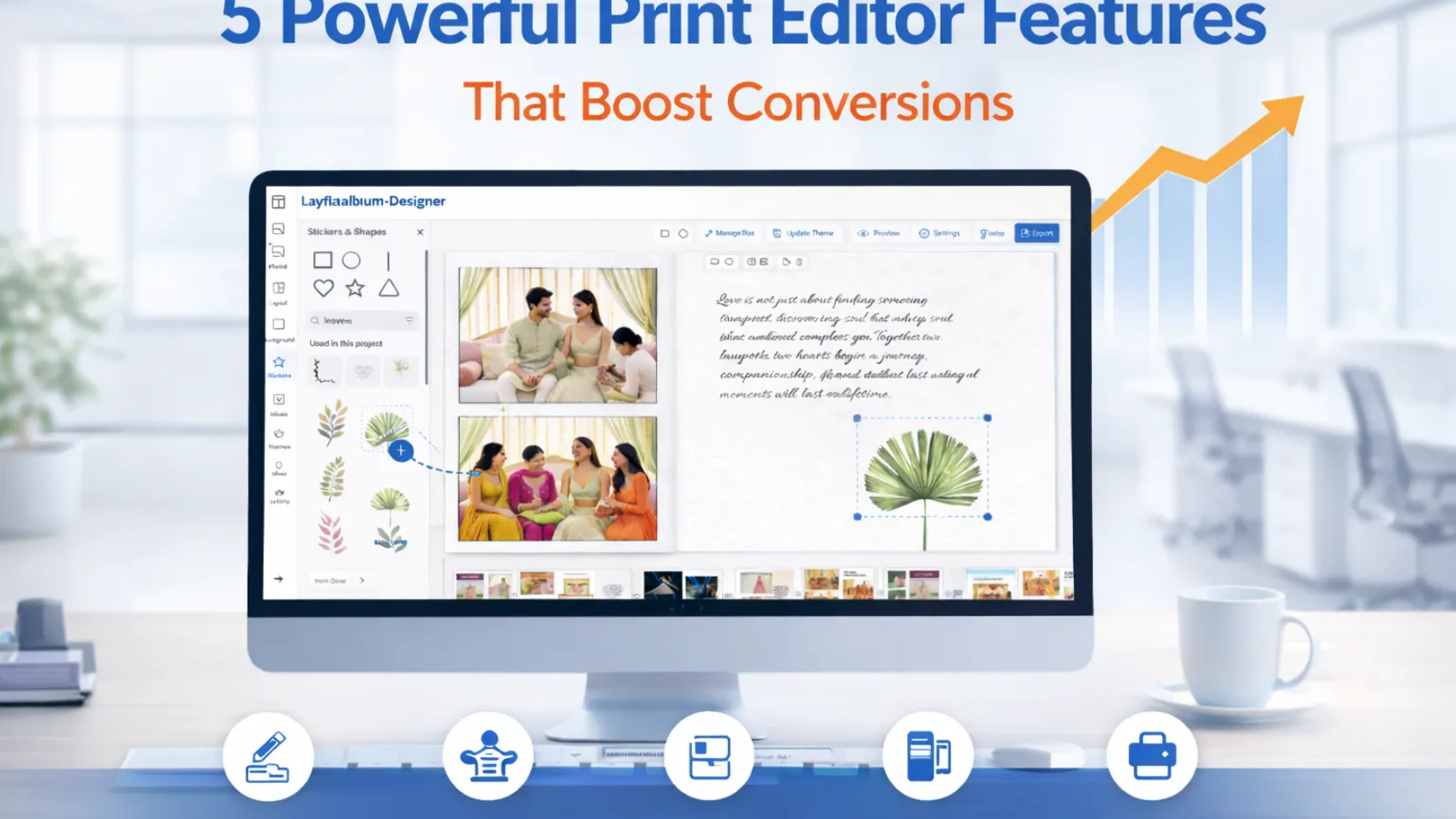
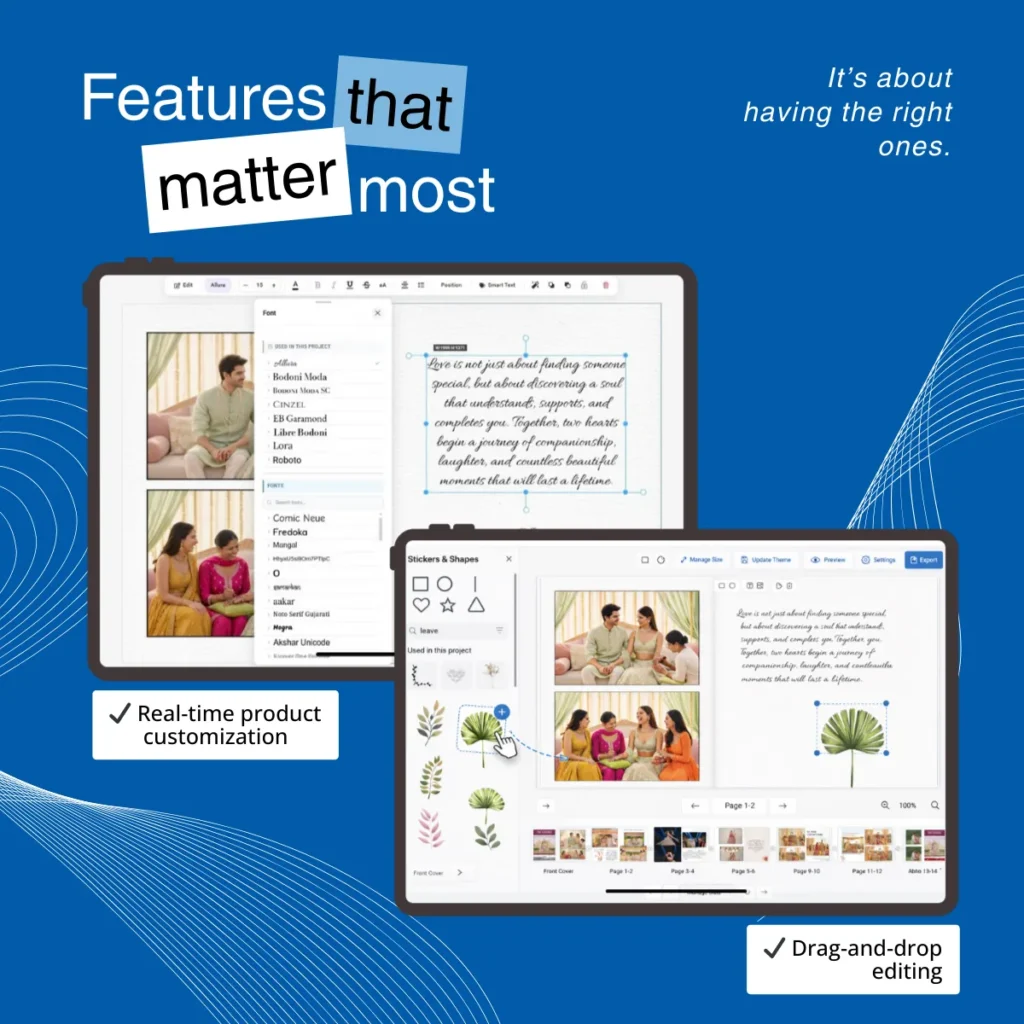
1. Real-Time Product Customization
Real-time customization allows customers to instantly modify their designs.
They can change text, colors, images, and layout elements while immediately seeing the result on the screen.
This eliminates uncertainty and gives customers confidence before placing their order.
2. Drag-and-Drop Editing
Drag-and-drop functionality simplifies the design process for non-designers.
Customers can easily move images, shapes, or design elements around the canvas without needing professional design skills.
This intuitive experience makes print customization accessible to everyone.
3. Pre-Designed Templates
Templates play a critical role in speeding up the design process.
Instead of starting from scratch, customers can choose from professionally designed layouts and customize them according to their needs.
Templates are particularly useful for products like:
Business cards
Wedding albums
Marketing materials
Platforms such as Quick Calendar Album demonstrate how template-driven design can make product customization faster and easier.
4. Live Preview Before Checkout
One of the most important features of a modern print editor is the live preview option.
Customers can see exactly how their final printed product will look before placing the order.
This helps reduce mistakes and minimizes reprints caused by design errors.
5. Print-Ready Export Files
A powerful print editor automatically generates print-ready output files.
This feature ensures the final design meets printing specifications, reducing manual adjustments for the production team.
Tools like PDF Imposer further automate the print preparation process, allowing businesses to handle production efficiently.
How the Right Print Editor Improves Print Workflows
When customers can design, preview, and order products in minutes, the benefits extend beyond the customer experience.
Print businesses gain:
Faster production cycles
Reduced manual intervention
Lower operational costs
Increased scalability
Automation tools such as Smart Selection also help streamline image processing and workflow management for print businesses.
The Future of Web-to-Print Editors
As the printing industry continues to evolve, modern print editor features are becoming smarter and more automation-driven.
Modern web-to-print platforms now integrate design editors with automated workflows, order management systems, and production tools. This allows print businesses to handle higher order volumes while maintaining accuracy and efficiency.
By investing in powerful print editor features, businesses can not only simplify the design process but also build a scalable and future-ready print workflow.
Final Thoughts
The success of an online print platform depends heavily on the quality of its design editor.
The right print editor does more than simplify design. It enables customers to create products effortlessly while helping print businesses operate more efficiently.
By combining features like real-time customization, drag-and-drop editing, templates, live previews, and print-ready exports, print companies can deliver a modern and engaging ordering experience.
In today’s digital printing landscape, investing in the right print editor is not just a feature upgrade – it’s a strategic move toward better customer experience and scalable print workflows.
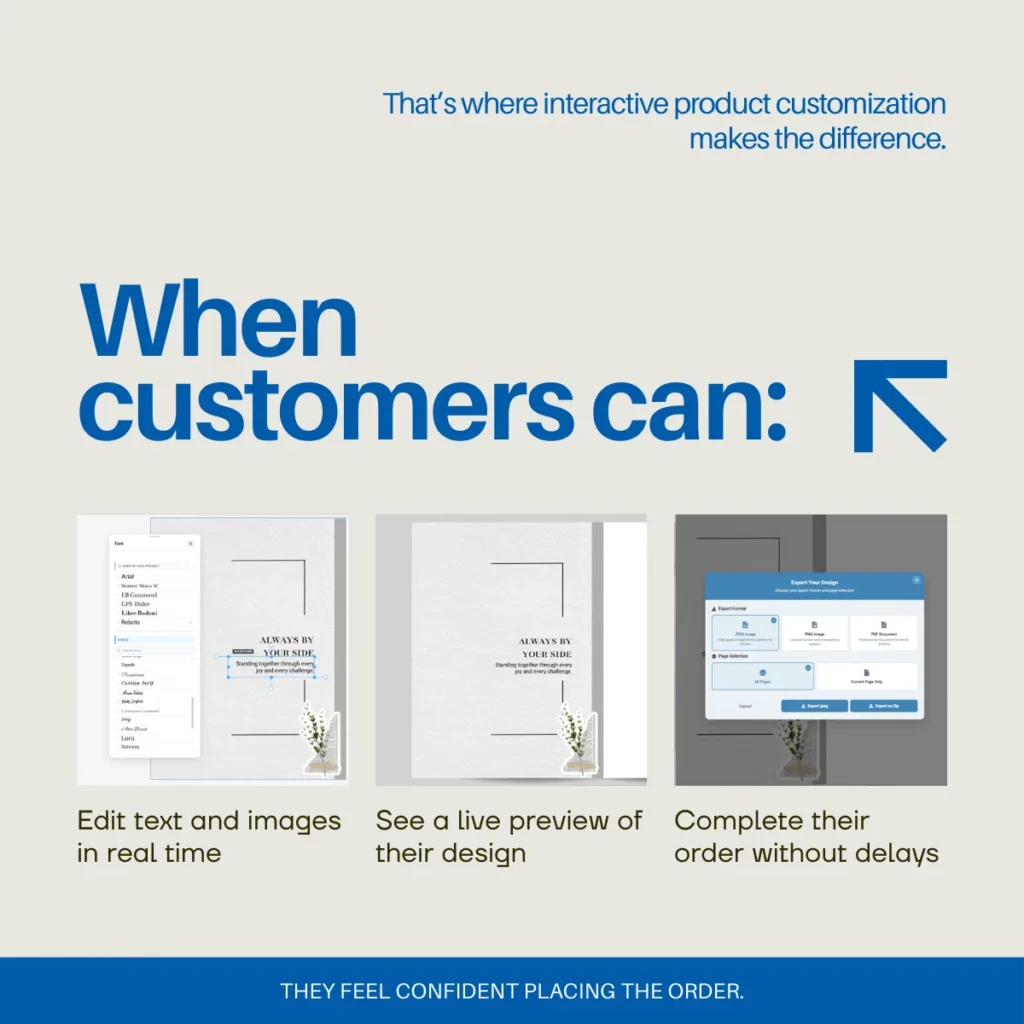
Interactive product customization is transforming how print businesses turn website visitors into paying customers.
Getting traffic to your print website is important. But traffic alone does not grow your business. What truly drives growth is conversion turning visitors into buyers.
In today’s competitive web-to-print market, customers expect more than static product pages. They want speed, clarity, and control. This is where interactive product customization becomes a powerful advantage, especially when powered by advanced web-to-print solutions like PrintPoz.
Instead of uploading files and waiting for email proofs, customers can design their products directly on your website. With smart ordering systems such as QuickOrders, print businesses can streamline customer journeys from product selection to checkout. Customers can edit text, upload images, adjust layouts, and see a live preview before placing an order. This seamless experience builds confidence and removes uncertainty.
More importantly, it shortens the buying journey. When customers can instantly visualize their final printed product, they are more likely to complete the purchase without hesitation.
Why Traditional Print Ordering Reduces Conversions
Many print businesses still rely on manual proofing processes. Customers upload artwork, wait for design checks, and go through multiple approval steps. While this workflow may work internally, it creates friction in the buying journey.
Friction leads to hesitation. Hesitation leads to cart abandonment.
Every additional step in the ordering process increases the chance that a potential buyer will leave your website. Long email chains, delayed approvals, and unclear previews create uncertainty.
Modern eCommerce has trained customers to expect instant results. If your print website does not provide interactive customization, visitors may leave and choose a competitor that offers a faster and more transparent experience.
How Interactive Product Customization Improves Conversion Rates
1. Real-Time Editing Builds Trust
When customers can see changes instantly, they feel confident about their purchase. A live preview removes doubt and ensures they know exactly what they are ordering.
This transparency significantly improves conversion rates because customers are not guessing — they are confirming.
2. Faster Decision-Making
Interactive product customization reduces the waiting time between design and approval. Customers can finalize their artwork and move directly to checkout without delays.
To further automate print production workflows, tools like PDF Imposer help businesses prepare print-ready files efficiently, reducing manual effort behind the scenes.
The shorter the buying process, the higher the likelihood of completing the order. Quick decisions often lead to higher sales volume.
3. Reduced Cart Abandonment
Uncertainty is one of the biggest reasons customers abandon their carts. When buyers are unsure how their final printed product will look, they hesitate.
A web-to-print editor with live preview eliminates that uncertainty and encourages immediate action. Customers gain clarity before payment, which reduces last-minute drop-offs.
4. Automation for Print Businesses
Interactive product customization does not just benefit customers. It also improves operational efficiency for print companies.
It reduces manual design checks, minimizes errors, and streamlines approvals. This allows businesses to scale without increasing staff or slowing production.
Advanced automation tools such as Smart Selection help optimize workflow processes and improve overall production efficiency.
Instead of relying on back-and-forth communication, your website becomes a self-service sales platform that works 24/7.
5. Enhanced Customer Experience
Customer experience plays a critical role in long-term business growth. When buyers enjoy a smooth and interactive ordering process, they are more likely to return for future purchases.
Interactive product customization provides a modern, engaging, and user-friendly experience that meets today’s digital expectations. A positive first experience often leads to repeat orders and customer loyalty.
The Psychology Behind Interactive Customization
Interactive experiences create engagement. When customers actively participate in designing their product, they feel ownership. This emotional connection increases commitment to the purchase.
A static product page only informs. Interactive product customization converts.
By giving customers creative control, you transform passive browsing into active participation.
Why Print Businesses Must Adapt
The print industry is evolving rapidly. Customers expect personalization, automation, and speed. Businesses that adopt interactive product customization gain a competitive advantage in both user experience and operational efficiency.
If your website generates traffic but struggles to convert visitors into buyers, the issue may not be marketing. It may be the buying experience itself.
Digital transformation in the print industry is no longer optional. Web-to-print solutions like PrintPoz that include interactive product customization are becoming the standard for growth-focused businesses.
By integrating interactive product customization into your web-to-print platform, you empower customers to design, preview, and order instantly.
In the competitive world of online printing, customer experience determines success. Today’s customers expect speed, clarity, and confidence when personalizing products. That’s why live preview in print customization has become one of the most essential features in modern web-to-print solutions.
Whether customers are designing business cards, wedding invitations, packaging labels, or photo albums, they want to see exactly how their product will look before placing an order. A real-time design preview eliminates uncertainty and turns customization into a smooth, confident experience.
What is Live Preview in Print Customization?
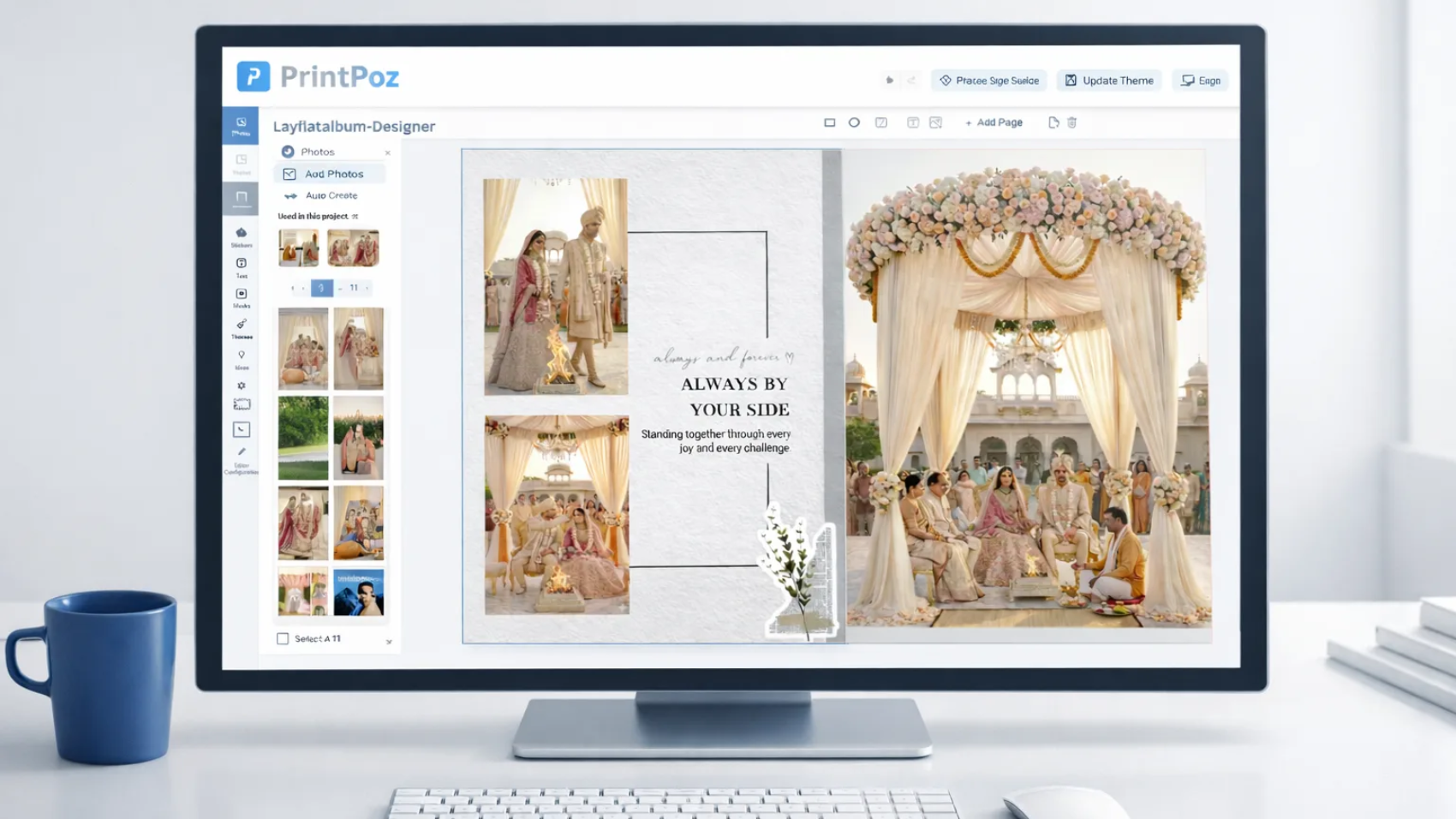
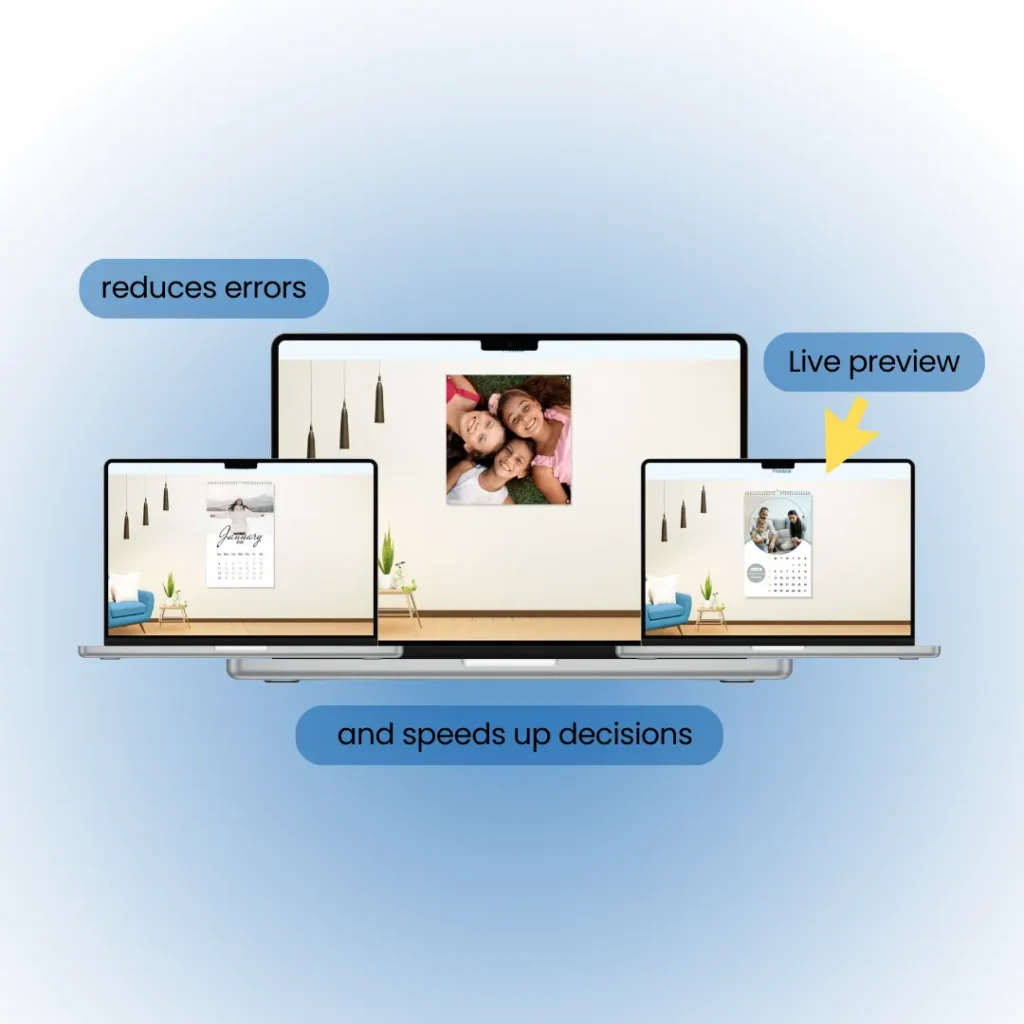
Live preview allows users to view their design in real time while making changes. Whether they edit text, upload images, adjust layouts, or change colors, the final output updates immediately on the screen.
There is no guesswork and no waiting for manual proofs. Customers know exactly how their product will look before placing the order. This what-you-see-is-what-you-get experience builds confidence and reduces the chances of errors.
With modern web-to-print platforms like PrintPoz, businesses can offer live preview for products such as photobooks, calendars, marketing materials, and branded corporate items.
Why Live Preview Builds Customer Trust
When customers cannot see the final result clearly, they hesitate. Uncertainty leads to repeated questions, revisions, and delays. Live Preview in Print Customization removes this friction by giving users full visibility.
When clients see their design instantly:
They make faster decisions
They place orders with confidence
They request fewer changes
They are more satisfied with the final output
For B2B customers, especially corporate buyers and resellers, this transparency is critical. They need assurance that their brand materials will be printed exactly as expected.
Reducing Errors and Improving Efficiency
One of the biggest operational challenges for print businesses is handling incorrect artwork. Low-resolution images, improper margins, or layout issues often lead to reprints and wasted resources.This is another reason why Live Preview in Print Customization is becoming essential for modern print businesses.
Live preview helps customers identify problems before submission. As a result:
Design mistakes are corrected early
Production errors are reduced
Material waste is minimized
Support and design workload decreases
When combined with workflow tools like PDF Imposer, files can move directly into production without manual adjustments:
This creates a smoother and more efficient print workflow.
Faster Decisions, Faster Orders
Speed is a major competitive factor in the print industry. Traditional proofing processes slow down order completion and increase operational effort.
With Live Preview in Print Customization, customers finalize their designs themselves. There is no need for multiple approval cycles. Orders are submitted faster, and production can begin immediately.
For businesses handling bulk or repeat orders, solutions like Quick Orders can further streamline the process
This combination of self-service and automation helps print businesses scale without increasing manual work.
Enhancing the Overall Customer Experience
Live Preview in Print Customization becomes even more powerful when combined with smart design automation.
Live preview becomes even more powerful when paired with smart design automation. Tools like Smart Selection help users choose the best images or layouts quickly:
For personalized products such as calendars and albums, platforms like Quick Calendar Album simplify creation while maintaining professional quality:
Together, these tools create a guided, user-friendly experience that modern customers expect.
Conclusion
Live Preview in Print Customization is more than a feature – it is a competitive advantage for modern print businesses. It removes guesswork, reduces errors, speeds up decision-making, and builds customer trust.
When customers can see their design instantly, they feel confident placing orders. For B2B print providers, this means fewer revisions, faster workflows, and higher customer satisfaction.
In a market where accuracy and speed matter, live preview ensures that what customers see is exactly what gets printed – helping your business deliver better results and grow with confidence.
A user-friendly print editor helps non-designers create clean designs easily. It reduces errors and improves order completion rates.
Most print customers are not designers. They do not want advanced tools or technical controls. Instead, they want their prints to look clean and well-designed.
For this reason, a user-friendly print editor makes the design process simple for non-designers. It removes confusion and helps customers move step by step.
However, print companies often struggle with one question. How do you offer design options without making the process difficult?
The answer is simple. Focus on clarity, guidance, and confidence.
Why Ease of Use Matters More Than Features
Many design tools are made for experts. They include features that everyday users do not need. As a result, these tools can feel too hard.
In fact, most customers prefer a guided and simple experience. They want to know exactly what to do at every step.
A user-friendly print editor removes extra steps and confusion. Instead of technical controls, it offers clear actions and easy choices.
Because of this, customers feel more confident. As a result, they complete their orders faster.
A Clear Starting Point Makes All the Difference
Starting with a blank page can feel stressful. This is mainly true for business customers who want quick results.
For this reason, ready-made templates are very important. They give users a clear starting point.
Instead of designing from scratch, customers can:
Replace images
Edit text
Adjust basic elements
As a result, they save time and avoid mistakes.
Real-Time Preview Builds Customer Confidence
Non-designers often worry about the final result. If they are unsure, they may delay placing an order.
Therefore, a good print editor should show changes right away. Every update should appear instantly.
This helps to:
Reduce mistakes
Lower revision requests
Speed up approvals
Build trust
Because customers can see exactly what they are creating, they feel confident moving forward.
A Clean Interface Reduces Friction
An easy-to-use layout makes a big difference. When tools are simple and clear, customers focus on designing instead of learning the system.
For example, a user-friendly print editor should focus on simple design instead of advanced settings.
A well-designed editor should include:
Drag-and-drop features
Clear tool placement
Minimal distractions
Simple menu
As a result, the design process becomes smooth and enjoyable.
Print companies can deliver this experience through a modern self-design print editor built specifically for customer self-service.
Guided Workflows Help Customers Finish Faster
Non-designers need direction, not just tools.
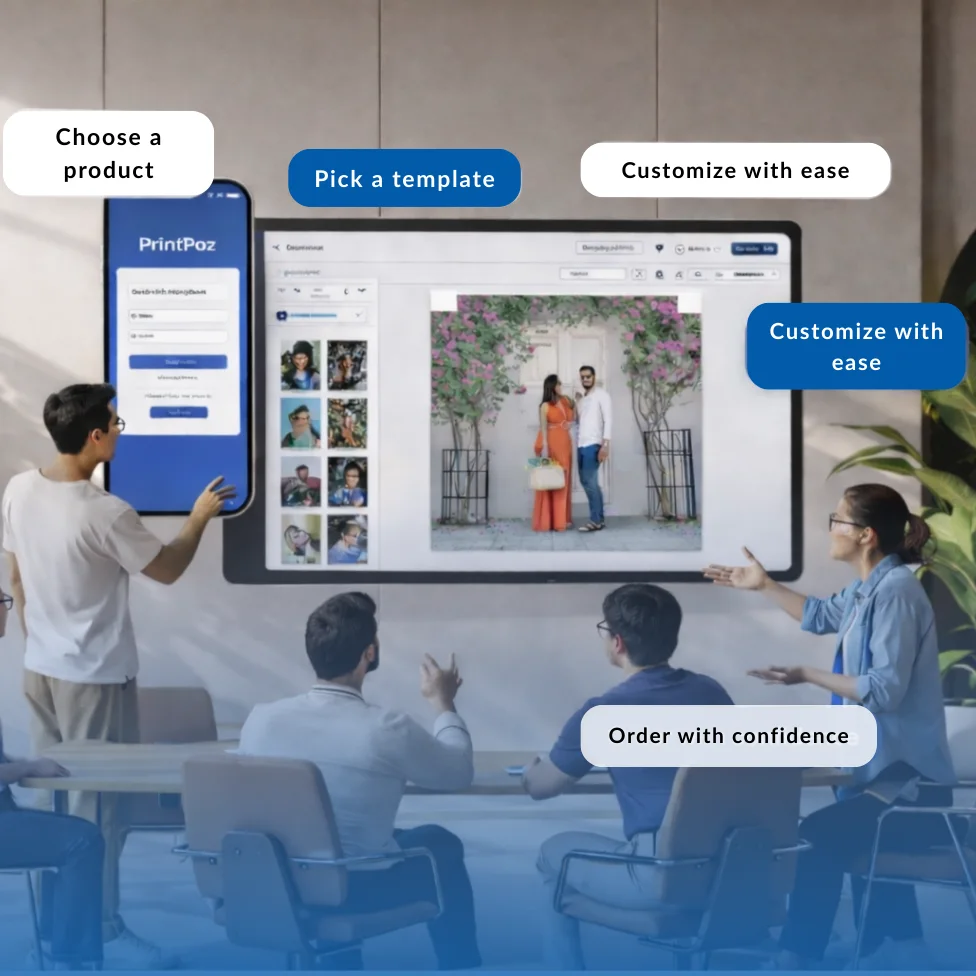
For example, a simple workflow like this: Choose product → Customize → Preview → Order helps customers understand the next step.
Because of this, confusion decreases. As a result, conversions increase.
In addition, some print companies use order management tools like QuickOrders to make the process even smoother.
Business Benefits of a User-Friendly Print Editor
When the design process is simple, companies benefit too. By using a user-friendly print editor, print companies can improve speed and customer satisfaction.
As a result, they experience:
Fewer support requests
Less back-and-forth communication
Better order accuracy
Faster production
Higher customer retention
Therefore, simple design directly supports company growth.
How to Choose the Right User-Friendly Print Editor
When choosing a user-friendly print editor, print companies should focus on ease of use and performance.
For example, the editor should load quickly and work smoothly on mobile devices. In addition, it should support real-time preview.
Most of all, it should connect easily with order systems.
Because of this, companies can grow faster and provide a better customer experience.
What “User-Friendly” Really Means
A print editor is truly user-friendly when customers do not need help to use it.
They can start quickly, make changes easily, and place orders with confidence.
In today’s self-service world, simple design is no longer optional. Instead, it is essential.
In the end, a user-friendly print editor gives print companies a strong advantage in a busy market.
A self-design print editor is transforming the way customers create print products, helping print businesses deliver faster and more efficient services. For print businesses, this shift is creating a faster, more efficient, and scalable way to serve modern buyers.
Today’s customers expect more than high-quality printing. They want a simple and interactive experience where they can design, preview, and order their products without delays. The real challenge for print providers is delivering this convenience without increasing manual work or design support.
Instead of emailing files, requesting changes, and waiting for approvals, customers can move from a blank page to a print-ready design on their own. The result is a smoother experience for customers and a more streamlined workflow for print businesses.
The Challenges of Traditional Print Ordering
In a traditional workflow, the ordering process often involves multiple back-and-forth steps. Customers may:
Upload incorrect or low-resolution files
Request repeated design changes
Wait for previews or confirmations
Feel uncertain about the final output
This process slows down production, increases support workload, and creates frustration for both the customer and the print team.
Today’s business customers prefer a faster and more transparent experience. They want to see exactly what they are ordering before placing the final order.
To meet these expectations, many print businesses are adopting solutions like QuickOrders to simplify order management and improve customer convenience.
From Idea to Print-Ready Design
A self-design editor changes the entire customer journey.
Users can begin with a blank canvas or choose from ready-made themes and layouts.making it easier to start designing without complexity.
This guided approach helps customers:
Move forward without confusion
Make changes without technical knowledge
Complete designs more quickly
Feel confident before ordering
Instead of relying on designers or support teams, customers stay in control throughout the process. This independence is the core strength of a self-design print editor.
This is where a self-design print editor becomes essential, guiding users from concept to a finished design without external support.
Confidence Drives Better Decisions
One of the biggest advantages of self-design tools is the confidence they create.
When customers can see their product as they design it, there is no guesswork. They understand how the final print will look, which reduces hesitation and eliminates uncertainty.
For print businesses, this leads to:
Fewer revision requests
Reduced order errors
Faster approvals
Smoother production cycles
When customers feel confident, they make decisions faster – and faster decisions lead to more completed orders.
Making Design Easy for Everyone
Most print buyers are not designers. They simply want their products to look professional without learning complex tools.
A well-built self-design editor focuses on simplicity by offering:
A clean and intuitive interface
Ready templates to get started quickly
Step-by-step design flow
Real-time visual feedback
When the process feels easy and guided, customers are far more likely to complete their designs instead of abandoning them midway.
Business Benefits for Print Providers
The value of self-design goes far beyond customer convenience.
By implementing a self-design print editor, print providers can streamline operations while improving the overall customer experience.
For print businesses, it helps to:
Reduce manual design workload
Lower support and revision requests
Improve order accuracy
Increase overall operational efficiency
It also creates a modern digital experience where customers can design, preview, and order in one place. This builds trust and encourages repeat purchases.
Instead of spending time on design corrections, teams can focus on production, fulfillment, and growth.
Supporting Digital Growth in Print
As the print industry continues to move toward online ordering, self-service tools are becoming essential. A self-design print editor allows businesses to offer a modern customer experience without adding operational complexity.
Customers can create, edit, and finalize their products independently, while print providers can handle more orders without expanding their design team.
This kind of streamlined workflow improves consistency, reduces delays, and supports scalable business growth. A modern self-design print editor helps businesses scale their digital services without increasing operational complexity.
Empowered Customers, Stronger Businesses
The move from manual ordering to self-design is more than a feature upgrade. It changes how customers interact with a print business.
When customers feel empowered:
They complete designs faster
They make fewer mistakes
They trust the process
They return for future orders
Moving from a blank page to a beautiful print becomes simple, predictable, and efficient.
For modern print businesses, investing in a reliable self-design print editor is no longer optional – it’s what today’s customers expect.
In the competitive world of printing, customizable templates for print shops have become one of the biggest growth drivers. While attracting a new customer is valuable, keeping them coming back again and again is where real business success happens. Offering customizable templates makes designing faster, more consistent, and more convenient – and when reordering becomes effortless, customers return to the same print shop instead of searching elsewhere.
This is why customizable templates for print shops play a critical role in improving customer retention and repeat order behavior.
Platforms like PrintPoz help print shops offer customizable templates through a web-to-print system that simplifies design, reordering, and repeat customer engagement.
This approach shows how customizable templates for print shops simplify repeat ordering while strengthening long-term customer loyalty.
Here’s how customizable templates help boost repeat business for print shops.
1. How Customizable Templates for Print Shops Make Reordering Quick and Effortless
Customers reorder when the process is easy – and customizable templates eliminate the need to redesign from scratch every time.
With templates, customers can:
Reuse their previous design
Make small updates like date, name, or event
Approve and reorder within minutes
The faster the reorder, the higher the chances they’ll stay loyal to your print shop. When you save customers’ time, they reward you with repeat purchases.
2. Brand Consistency Encourages Long-Term Use
Businesses, event organizers, creators, and professionals want their print materials to look consistent across all orders. Customizable templates allow them to maintain:
The same brand colors
The same fonts
The same layout and theme
This consistency builds a long-term connection to the design – and the print shop that provides it.
Once customers have a template they love, they stick with it for future orders, whether it’s business cards, marketing materials, stationery, packaging, or event prints.
By offering customizable templates for print shops, you allow customers to stay loyal to a design they love while trusting your brand for every reorder.
One of the biggest reasons customers switch print providers is time consumption.
If every order requires back-and-forth communication, file creation, or full redesigning, customers will seek a faster solution.
Customizable templates streamline the process:
Choose a template
Edit
Preview
Order
A quick and smooth journey creates customer satisfaction – and satisfaction leads to repeat orders.
4. Customers Feel More in Control of Their Designs
When customers can edit and personalize their own templates, they feel ownership and pride in their designs.
This emotional connection is powerful because:
People trust what they create
They remember the experience
They return to repeat that experience
When customers feel empowered and confident designing with templates, they are far more likely to reorder without hesitation.
5. Templates Reduce Design Costs for Customers
Repeating a design with small edits saves customers money because they don’t need to hire a designer or pay for design support again.
It becomes financially easier for them to reorder frequently.
Customers appreciate savings – and they stick with businesses that help them save.
6. Builds Habitual Ordering Behavior
The easier the process, the more habitual it becomes.
When customers get used to:
Templates
Easy edits
Quick reorders
They form a habit of ordering from the same print shop every time.
This turns one-time buyers into long-term repeat buyers – the backbone of a profitable print business.
Beyond convenience, customizable templates for print shops build long-term customer relationships. When customers realize they can easily manage, tweak, and reuse their designs, they view your shop as a dependable partner, not just a vendor. This emotional connection drives consistent repeat orders and strong referrals.
Platforms such as Quick Calendar Album show how reusable print designs and template-based ordering help customers return for repeat purchases with ease.
For growing businesses, customizable templates for print shops also support scalability by reducing design workload and speeding up repeat orders.
By standardising designs and workflows, customizable templates for print shops help businesses grow efficiently without increasing operational complexity.
Conclusion: Why Templates Are Key To Repeat Print Order
Customizable templates for print products are one of the most powerful tools to drive repeat orders for print shops. They make designing fast, keep branding consistent, save money, and offer a convenient reordering experience that customers love.
When customers can edit, reuse, and reorder designs effortlessly, they naturally return to the same print provider – not once, but again and again.
If you want to increase customer loyalty, boost repeat sales, and stand out in the print market, offering customizable templates is no longer optional – it’s essential.
Ultimately, customizable templates for print shops are the foundation for sustainable growth and customer loyalty.
Print personalization psychology explains why customized print products turn casual buyers into loyal customers. In today’s highly competitive web-to-print landscape, brands that understand the emotional and psychological triggers behind personalization are building deeper connections and gaining a powerful edge. For print shop owners, web-to-print business managers, and marketers, unlocking the science of personalization is key to boosting loyalty, advocacy, and sales.
Print personalization psychology explains why customers feel emotionally connected to custom print products and why personalized items consistently drive higher loyalty and repeat purchases in the web-to-print industry.
Print Personalization Psychology: Why Personalization Works on the Human Mind
From a behavioural standpoint, print personalization psychology focuses on how involvement in design decisions increases perceived value, emotional attachment, and long-term brand trust.
1. The IKEA Effect in Print Personalization Psychology
Research shows people value products they help create – what psychologists call the “IKEA Effect.” When customers personalize a mug, t-shirt, or photobook, their sense of ownership and emotional investment skyrockets. According to a 2025 survey, 65% of online buyers are more likely to repurchase personalized items and leave positive reviews.
Action: Leverage PrintPoz’s design tools that empower customers to add names, photos, or custom art for a sense of co-creation.
2. Memories and Emotional Triggers
Printed memories – family photos, milestone events, pet images – are powerfully evocative. Personalization taps into nostalgia, pride, and joy, forging an emotional bridge between customer and brand. Photo books, calendars, and art prints are among the highest repeat purchase categories thanks to their sentimental value.
Platforms like Smart Selection demonstrate how personalization and user-driven customization help brands create stronger emotional connections and improve repeat purchase behaviour in digital commerce.
The Business Impact: Higher Loyalty, Bigger Carts
Personalized Products Drive Repeat Sales
A 2025 market study revealed that shoppers exposed to personalized merchandise are 2.5 times more likely to make another purchase within six months. Beyond initial sales, this increases lifetime value and reduces churn.
Word-of-Mouth and User-Generated Content
When people receive something “uniquely theirs,” they share it! Social posts, unboxing videos, and online testimonials serve as free marketing. Web-to-print businesses using customer galleries or design showcases see social referrals rise by over 30%.
Actionable Tips for Leveraging Personalization
1. Simplify the Experience
Don’t overwhelm customers with options. Offer easy-to-use editors, quick-start templates, and intelligent autofill for names, dates, and images – features all built into PrintPoz’s intuitive platform.
For print businesses looking to implement personalization at scale, platforms like PrintPoz provide built-in tools that simplify custom product creation, live previews, and repeat ordering within a single web-to-print workflow.
2. Use Smart Recommendations
AI-powered upselling (“other customers added a mug with this design”) and pre-designed inspiration can dramatically increase conversion rates – up to 15% higher average order values when bundled suggestions are used.
3. Highlight Stories, Not Specs
Promote customer stories and showcase user-created designs on your home page or Instagram. This taps into an aspirational mindset and makes buyers feel part of a community.
4. Prioritize Quality Assurance
Quality control is crucial for personalized prints. Use high-res previews, live proofing, and automated image checks to ensure every creation feels special (and free of production errors).
Real-World Example: Building Loyalty
Case Study: A boutique online print shop using PrintPoz saw repeat customer rates climb from 21% to 34% after upgrading to a personalized product builder, launching “Design of the Week” contests, and featuring real buyer stories in email campaigns. Positive reviews and organic Instagram tags tripled within six months.
Personalization Checklist for Print Businesses
Enable easy customization for your most popular products (mugs, shirts, photo gifts, stationery)
Integrate user-friendly design tools with live mobile/desktop previews
Leverage AI and customer data to suggest meaningful product ideas
Collect and display user stories, testimonials, and user-generated content
Offer loyalty perks or discounts for return buyers of personalized products
PrintPoz Makes Personalization Easy
Our platform gives your customers and your team the tools to create, preview, and order custom products with confidence. From live previews to bundled promotional campaigns, everything is built for engagement and repeat business.
By applying print personalization psychology, print businesses can move beyond transactional sales and build deeper emotional relationships that translate into long-term customer loyalty.
Explore PrintPoz’s personalization features and start turning one-time buyers into lifelong brand advocates.
Mobile-first web-to-print is rapidly becoming the standard as the way customers interact with print businesses has fundamentally shifted. Today, nearly 60% of web-to-print orders start on a mobile device. For web-to-print business owners and managers, embracing a mobile-first approach isn’t just a trend – it’s mission-critical for driving growth, improving customer experience, and staying ahead of the competition in 2025.
A mobile-first web-to-print strategy ensures customers can design, order, and track print products easily from their smartphones without friction. A mobile-first web-to-print strategy ensures customers can design, order, and track print products easily from their smartphones without friction.
In this article, we’ll explore why mobile-first matters, how to optimize your design tools for smartphone and tablet users, and actionable strategies that will help you corner the fast-growing mobile market.
Why Mobile-First Matters in Web-to-Print
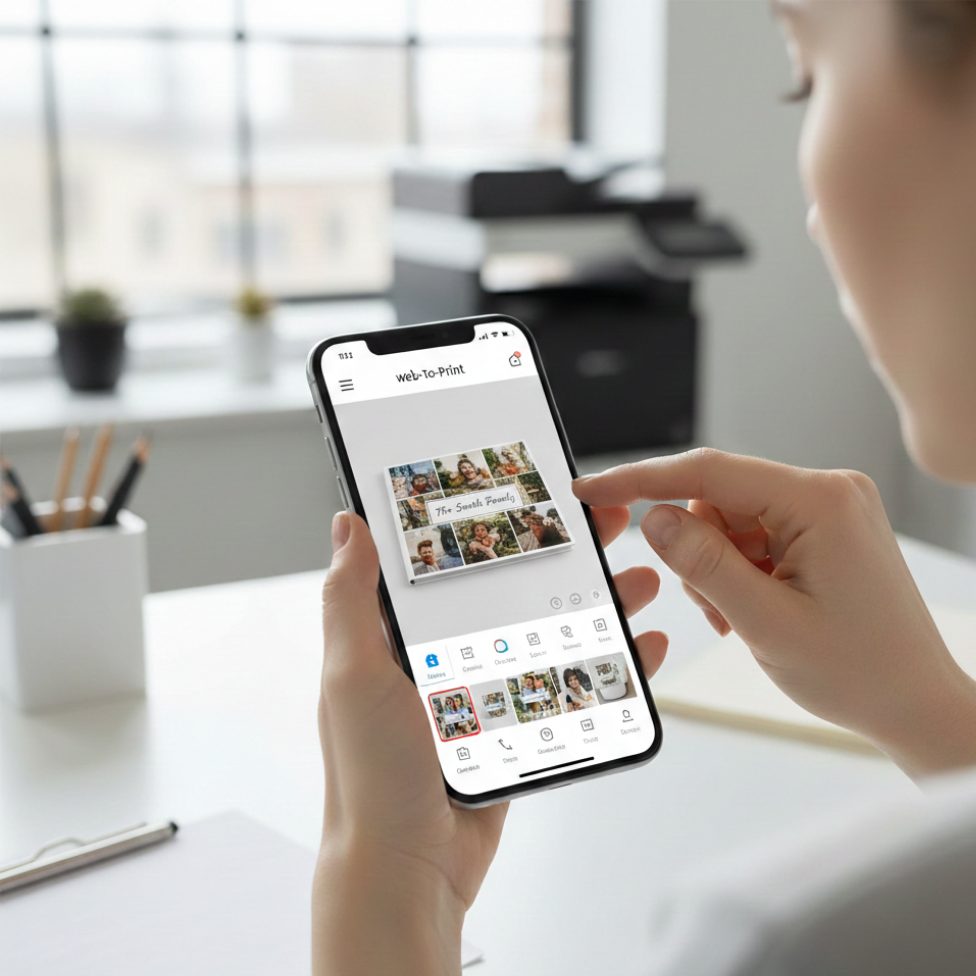
A mobile-first web-to-print approach ensures print customers can browse, design, and place orders seamlessly on smartphones and tablets without friction.
1. The Numbers Don’t Lie
Over 70% of B2C print shoppers prefer browsing, designing, and ordering on mobile devices.
Print e-commerce conversion rates rise by up to 20% when the mobile experience is seamless and fast.
Google’s mobile-first indexing means top search visibility now favors businesses with mobile-optimized sites and tools.
2. Customer Behavior Has Changed
Modern print customers – whether ordering business cards, custom apparel, or photobooks – demand convenience. They want to:
Start a design on their phone in the café
Edit it on a tablet during their commute
Place and track orders from anywhere, anytime
Without a truly mobile-first experience, you risk losing these high-value, on-the-go buyers.
What Makes a Web-to-Print Tool Truly Mobile-First?
A mobile-first web-to-print platform prioritizes touch-friendly design tools, fast loading speeds, and seamless checkout experiences on mobile devices.
Responsive Design Is Just the Beginning
A mobile-first platform doesn’t just “shrink” your desktop site to fit small screens. It reimagines the entire workflow for touch navigation, quick loading, and thumb-friendly interactions.
Essential features:
Touch-optimized navigation: Buttons sized for fingers, swiping, not pinching
Fast, lightweight pages: Minimal load times even on slower mobile networks
Real-time previews: Instantly see design changes on screen
Mobile-friendly editors: Drag, drop, resize, and rotate elements with a fingertip
One-click actions: Easy image uploads, swatches, checkout, and proof approvals
Cloud Integration and Data Sync
Customers expect to start a design on one device, save progress, and finish elsewhere. Cloud-based sync ensures every update and design stays accessible from mobile, tablet, or desktop.
Industry Examples: Leaders in Mobile-First Web-to-Print
Printbox Mobile Editor: Offers touch-optimized design interface, instant photo uploads from phone galleries, and cross-device saving, resulting in a higher rate of completed orders.
Printful App: Enables users to create, preview, and manage print-on-demand orders from their smartphones, pushing global expansion and convenience.
Platforms such as Smart Selection demonstrate how mobile-first, user-focused digital experiences help businesses improve customer engagement, streamline ordering, and increase conversions across online platforms.
Practical Tips for a Winning Mobile-First Strategy
1. Test Thoroughly Across Devices
Simulate the full customer journey on multiple devices and browsers. Iron out pain points like slow rendering, misplaced buttons, or awkward text.
2. Simplify Your Design Tools
Keep interfaces uncluttered. Offer only the most-used features on mobile, tucking advanced options behind menus. For example, prioritize quick image uploads and color selection over advanced typography tools.
3. Speed Is Everything
Compress images and code for speedy loads
Use progressive loading for design elements
Minimize pop-ups and unnecessary animations
4. Enable Mobile Payments and Autofill
Integrate secure, mobile-friendly payment gateways and ensure your checkout supports autofill for fast, error-free purchases.
5. Promote With Mobile-First Marketing
Use SMS, mobile push, and social ads to attract and retain customers. Encourage app installs if available and offer mobile-exclusive deals.
Implementation Checklist
Audit your current site and design tools for mobile performance (use Google Mobile-Friendly Test)
Choose a web-to-print platform like PrintPoz with built-in mobile optimization.
Train your team to support customers with mobile queries or issues
Monitor mobile conversion rates and customer satisfaction; tweak UX regularly
The PrintPoz Advantage
PrintPoz’s e-commerce platform is engineered for mobile commerce. With mobile-first web-to-print capabilities, PrintPoz helps print businesses offer intuitive design tools, one-tap order management, and cloud-synced editing that empower customers to create and order from anywhere.
By adopting a mobile-first web-to-print strategy, print businesses can improve conversion rates, enhance customer satisfaction, and capture the growing audience that prefers ordering on mobile devices.
Explore PrintPoz’s mobile-optimized design experience, and transform casual browsers into loyal customers with every thumb tap.
What is web-to-print? The printing industry has come a long way from its traditional roots. With the rise of digital technology, things have dramatically evolved, bringing us into a new era of convenience and customisation. One of the most revolutionary advancements in this space is Web-to-Print software, a solution that’s transforming how businesses and customers interact with printed products.
For many print businesses exploring digital transformation, understanding what is web-to-print is the first step toward modernizing operations and improving customer experience.
This blog will break down the concept, explore its game-changing benefits, and examine how it’s shaping the printing landscape for businesses and customers alike. By the end, you’ll understand why investing in Web-to-Print technology is no longer a luxury but a necessity for modern printing businesses.
What Is Web-to-Print and How Does It Work?
To understand what is web-to-print, it’s important to see how digital platforms replace manual print ordering with online design, customization, and automated production workflows.
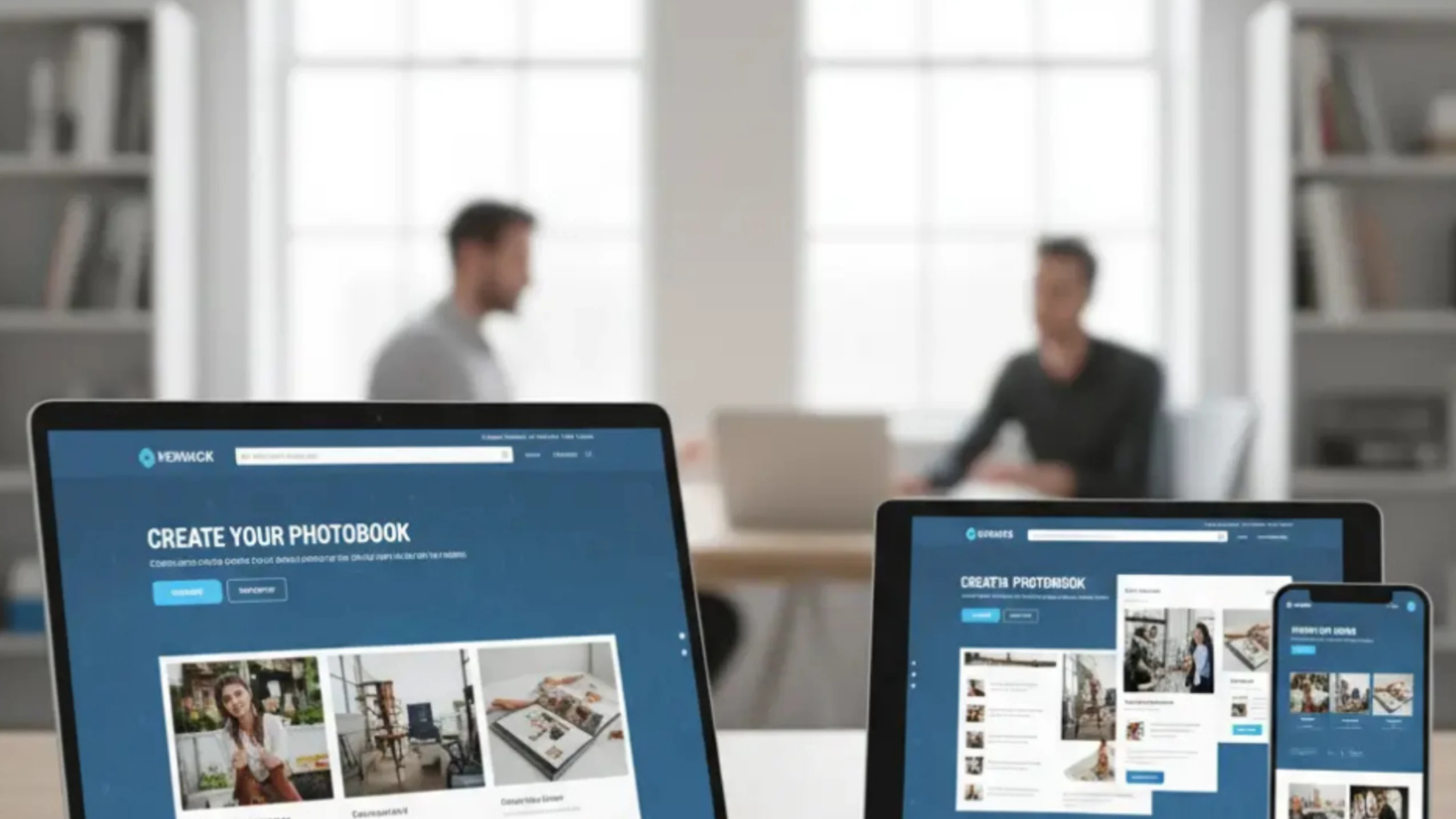
At its core, Web-to-Print refers to an online digital platform that allows customers to design, customise, and order printed products directly through a website. Unlike traditional printing methods that often require back-and-forth communication, Web-to-Print software simplifies the process by providing user-friendly tools and real-time previews.
Modern web-to-print platforms like PrintPoz enable businesses to offer online design tools, real-time previews, automated order processing, and seamless production workflows—all through a single digital interface.
For instance, a customer can use an online print shop software to create custom business cards, banners, or photo albums. They can upload their designs, adjust layouts, and finalise the order – all from a browser-based interface. The ordering process is quick, intuitive, and flexible, making it ideal for personal and business use alike.
How It Works:
When learning what is web-to-print, it helps to break the process into simple steps that show how customers move from online design to final printed delivery.
Customers visit the website of the printing provider.
They select a product, such as brochures, mugs, or photo books.
Using an intuitive design tool, they personalise the product with images, text, or graphics.
Once the design is approved, they place the order and make payment.
The printing company fulfils the order and dispatches it to the customer.
Now that you have a foundational understanding of Web-to-Print, let’s explore why it’s revolutionising the printing industry.
The Benefits of Web-to-Print Software
Once businesses clearly understand what is web-to-print, the operational, financial, and customer experience benefits of adopting this technology become obvious.
Web-to-Print isn’t just a passing trend – it’s a comprehensive solution that offers distinct advantages for both businesses and their customers. Here are some of its most impactful benefits:
1. Streamlined Order Process
Gone are the days of managing print orders through endless emails or phone calls. Web-to-Print simplifies every step of the process, from design creation to payment, enabling a seamless customer experience. This level of automation saves time and reduces the likelihood of errors, especially in large-scale print projects.
2. Enhanced Customer Experience
An online print shop software typically features a wide range of customizable options and a user-friendly interface. Customers can experiment with colours, text layouts, and sizes, all while viewing a live preview of their design. This transparency and control make the entire process enjoyable and engaging, building trust and loyalty.
3. Cost-Effectiveness
By automating repetitive processes such as design uploads and order tracking, Web-to-Print software reduces overhead costs. Plus, its scalability means businesses can operate without maintaining expensive stocks of pre-printed items, allowing for on-demand production that minimises waste.
4. Scalability for Businesses of All Sizes
Whether you’re a small online retailer or a large-scale photo book eCommerce platform, Web-to-Print software can adapt to your needs. Its customizable and modular frameworks allow businesses to start small and scale effortlessly as demand grows.
5. Real-Time Design Previews
One of the standout features of Web-to-Print technology is the ability to view designs in real-time. Customers can make tweaks instantly, ensuring the final product matches their vision. This reduces the back-and-forth revisions that often plague traditional printing workflows.
Revolutionising the Printing Industry
The reason what is web-to-print has become such a common question in the print industry is because this technology fundamentally changes how print businesses operate and scale.
Web-to-Print isn’t just an improvement – it’s a total game changer. By leveraging this technology, printing companies can unlock new opportunities, streamline their operations, and cater to the growing demand for personalisation.
1. Meeting the Demand for Customisation
Modern customers crave products that reflect their individuality, whether it’s a personalised photo book or branded merchandise. Web-to-Print allows businesses to meet this expectation with ease, offering diverse customisation options via an intuitive online platform.
2. Smoothing Operational Bottlenecks
Print businesses often face challenges in managing high volumes of orders efficiently. With centralised order management hubs and automated workflows, Web-to-Print eliminates bottlenecks and enhances productivity. Many platforms even integrate with mobile applications, allowing businesses to oversee operations remotely.
3. Optimising for E-Commerce
For businesses running an online print shop, integrating Web-to-Print software can provide a competitive edge. Imagine adding a photo book eCommerce platform to your existing store – customers could create bespoke photo albums directly from your website, boosting engagement and sales.
Real-World Applications of Web-to-Print
Understanding what is web-to-print becomes even clearer when you see how businesses apply this technology across branding, eCommerce, and personalized print products.
For businesses managing high volumes of custom print orders, tools such as Quickorders help centralize order intake, reduce manual coordination, and improve turnaround times.
To better understand how this technology is changing the industry, here are some practical examples of its impact:
Corporate Branding: Small businesses can customise marketing materials like flyers, posters, and business cards, making brand-building approachable and cost-effective.
E-commerce Growth: Many online retailers now feature Web-to-Print modules, enabling customers to create and order unique products without leaving the site.
Photo Products: Personalised mugs, T-shirts, and calendars are popular for gifts and special occasions. Web-to-Print software makes these products accessible and affordable for a wide range of customers.
Professional Photo Books: A dedicated photo book eCommerce platform can transform customer memories into professionally printed albums with just a few steps. By allowing customers to drag and drop photos, adjust layouts, and add text, businesses can create an engaging service experience.
The Future of Web-to-Print Technology
Web-to-Print is already making waves, but its future potential is even more exciting. Advancements in technology and changing consumer behaviours are poised to shape the evolution of this software. Here are a few trends to watch:
1. Artificial Intelligence Integration
Imagine a design tool that offers real-time suggestions based on your content, helping to perfect your layout automatically. AI is expected to play a critical role in enhancing Web-to-Print solutions, making them smarter and more intuitive.
2. Augmented Reality Previews
Future versions of online print shop software may integrate augmented reality (AR), allowing customers to visualise their products in real-world settings before completing the order.
3. Green and Sustainable Printing
With eco-consciousness on the rise, Web-to-Print platforms could incorporate features that calculate and offset carbon footprints, appealing to environmentally aware consumers.
4. Further E-Commerce Integration
We’re likely to see even deeper integration between Web-to-Print and eCommerce platforms, including multi-channel support and personalised marketing tools to enhance customer retention.
Final Thoughts
As more businesses ask what is web-to-print, it’s clear that this technology is redefining how printing services are designed, ordered, and delivered online.
Web-to-Print software is more than a technological innovation – it’s a paradigm shift that’s redefining the way we think about printing. By combining convenience, customisation, and cost-effectiveness, this technology is setting the stage for the future of the industry. Whether you’re a small business owner, a bustling photo book eCommerce platform, or a print shop looking to expand, adopting Web-to-Print is a smart move that promises to pay long-term dividends.
For businesses still exploring what is web-to-print, now is the ideal time to evaluate how this technology can modernize operations and future-proof print services.
The future of printing is here – are you ready to unlock its potential?