
Web-to-print implementation challenges often arise when print businesses transition from traditional workflows to fully digital ordering systems.
Web-to-print implementation challenges are a natural part of any digital transformation in the print industry. As print businesses move from manual workflows to online ordering systems, these web-to-print implementation challenges can impact integration, staff adoption, customization control, and overall ROI. Identifying web-to-print implementation challenges early helps businesses plan smarter rollouts and avoid costly disruptions.
Adopting a web-to-print platform unlocks enormous benefits – from workflow automation to increased order capacity and improved customer convenience. Yet, the journey from traditional printing to a fully integrated online solution isn’t without obstacles. For web-to-print business owners, print shop managers, or anyone considering a digital transformation, understanding and overcoming common hurdles is essential for success.
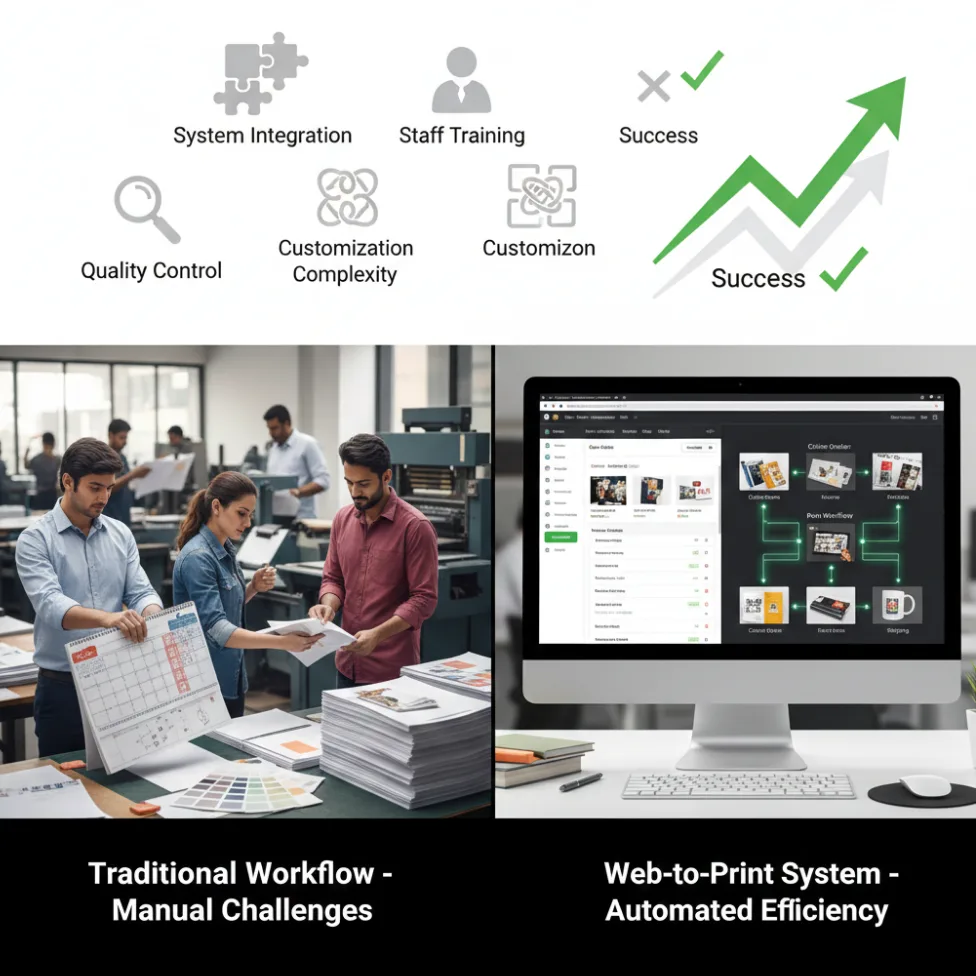
Web-to-Print Implementation Challenges Print Businesses Commonly Face
1. Integration with Existing Systems
Reality check: Legacy systems, such as MIS, accounting, CRM, or manual production schedules, don’t always “play nice” with new web-to-print solutions. Data silos and duplication risks can cause inefficiency and confusion if not managed early.
Example: A mid-sized print shop reported launching web-to-print but struggled with order synchronization because their production and invoicing tools weren’t connected, resulting in lost jobs and frustrated customers.
Actionable tips:
- Choose web-to-print platforms (like PrintPoz) with proven APIs and flexible integration options.
- Modern print businesses often rely on modular tools like Quickorders to centralize online orders and reduce dependency on manual data entry during web-to-print implementation.
- Start with pilot integrations (i.e., orders and inventory) before pushing for complete system integration.
- Schedule regular data audits during rollout.
2. Staff Training and Change Management
Reality check: Automation triggers worry about job security and resistance to change. Even the best software will fail if staff lack training or buy-in.
Example: A survey in 2025 found that 65% of print businesses cited staff resistance as a top reason for slow technology adoption.
Actionable tips:
- Involve key staff early – ask for input on workflow changes and feature needs.
- Provide hands-on training, tutorials, and ongoing support.
- Show real benefits (reduced repetitive tasks, faster order processing) to boost enthusiasm.
3. Managing Customization Complexity
Reality check: Web-to-print unlocks limitless customization, which is great for customers, but can overwhelm production teams if not streamlined.
Example: Businesses offering too many product variations (+50 templates, unlimited SKUs) experienced bottlenecks in artwork approval and increased errors.
Automation-focused solutions such as PDF Imposer help streamline file preparation, automate imposition workflows, and minimize production errors caused by complex customization.
Actionable tips:
- Start with a curated selection of the most popular customizable products.
- Use automation for proofing, file pre-flight, and template management.
- Leverage PrintPoz’s design tools for error checking and preset options to control customization scope.
4. Cost Overruns and Underestimated Resources
Reality check: Underestimating costs for system setup, integration, training, and ongoing support can threaten project ROI.
Example: A US print franchise underestimated its migration budget by 40% and delayed rollout by six months due to hidden costs in legacy data cleanup and third-party software connections.
Actionable tips:
- Prepare a detailed implementation roadmap, including all anticipated costs and timelines.
- Use phased rollouts to validate processes before scaling fully.
- Budget for post-launch support.
5. Quality Control and Consistency
Reality check: Moving from manual to automated ordering introduces variability in data entry, artwork uploads, and proofing. If not managed, this can impact print quality.
Example: A European printer suffered a spike in reprints after web-to-print launch due to lax file standards and untested templates – cutting into margins.
Actionable tips:
- Enforce standardized artwork upload specs and automated file checks (resolution, bleed, color).
- For print businesses handling calendar and album products, platforms like Quick Calendar Album support standardized layouts and automated checks that improve print consistency and reduce costly reprints.
- Use digital proofs and real-time review tools.
- Establish routine QA audits, especially post-launch.
6. Customer Adoption and Usability
Reality check: Even the slickest platform can flop if customers find it confusing, slow, or unintuitive.
Tools focused on intelligent product selection, such as Smart Selection, can simplify user choices and improve customer adoption during web-to-print platform rollouts.
Example: Poor onboarding resources led to 30% higher cart abandonment for a major online print provider.
Actionable tips:
- Choose a web-to-print supplier focused on user experience – PrintPoz offers live previews and help guides.
- Provide quick-start videos and FAQs.
- Gather feedback and iterate on your interface for continuous improvement.
Practical Strategies to Overcome Web-to-Print Adoption Issues
- Assessment & Planning
- Map current workflows and pinpoint inefficiencies.
- Set clear, measurable implementation goals.
- Identify key team members for a cross-functional “adoption team.”
- Set Up & Integration (Pilot Phase)
- Launch with core products and limited automation to test workflows.
- Integrate web-to-print orders with inventory and production tracking.
- Solicit team and customer feedback before full deployment.
- Full-Scale Rollout & Monitoring
- Expand automation to cover artwork approval, proofing, shipping notifications, and CRM.
- Monitor KPIs such as order turnaround, error rates, and customer satisfaction.
- Adjust processes and automate more tasks as the team and customers adapt.
- Ongoing Optimization
- Schedule training refreshers and advanced feature workshops.
- Regularly update products, templates, and integrations based on analytics and feedback.
- Use PrintPoz analytics to uncover further automation opportunities.
Key Takeaways and Success Checklist
- Prioritize robust integration and start small – complexity grows over time, but doesn’t need to overwhelm day one.
- Invest in training and bring your team into the journey.
- Leverage automation, but maintain quality checks.
- Simplify the customer experience for higher platform adoption.
Successfully overcoming web-to-print implementation challenges requires a balance of technology, people, and process optimization, ensuring long-term scalability and customer satisfaction.
PrintPoz’s order management, design automation, and workflow tracking help print businesses overcome the common hurdles of digital transformation. From template-driven customization to quality control and detailed analytics, PrintPoz simplifies every stage of overcoming web-to-print implementation challenges.
Primary keyword: web-to-print implementation challenges
Meta title: Web-to-Print Implementation Challenges & Solutions 2025
Meta description: Discover how to solve web-to-print implementation challenges with practical strategies and tools. Overcome integration, training, and ROI risks in 2025.