Advanced-Pricing-Strategies-for-Custom-Print-Products-Maximizing-Profitability

7 Proven Custom Print Product Pricing Strategies 2025

Pricing is one of the trickiest challenges for web-to-print businesses. Set prices too high and you risk losing sales; too low and your profit margins vanish – especially when offering personalized, multi-variate print-on-demand or custom products. As customer expectations, production costs, and market competition rise in 2025, developing advanced and flexible pricing strategies is crucial for print shop owners, ecommerce managers, and web-to-print entrepreneurs seeking healthy growth.

In today’s competitive market, custom print product pricing strategies help businesses stay profitable while meeting customer expectations.

In 2025, custom print product pricing strategies play a critical role in helping web-to-print businesses balance profitability with customer expectations. For web-to-print businesses in 2025, custom print product pricing strategies are no longer optional. Strong custom print product pricing strategies help print shops manage rising costs, support personalization, and maintain healthy profit margins in a highly competitive market.

By applying the right custom print product pricing strategies, print businesses can manage variable costs, offer transparent pricing, and stay competitive in a fast-changing market.


Why Custom Product Pricing Is So Complex

Industry platforms like Smart Selection demonstrate how modern print businesses are adopting flexible pricing structures to manage customization, volume-based discounts, and changing production costs. By aligning pricing models with personalization demand, print businesses can maintain profitability while offering transparent and competitive pricing to customers.

Custom print products (from mugs and photobooks to apparel and signage) introduce variable costs and unpredictable order specs:

  • Multiple options for material, size, finish, ink, and personalization
  • Small-quantity or one-off orders driven by personalization
  • Volatile costs (paper, pigment, labor, energy, shipping)
  • Bundles, volume discounts, and cross-product offers

This complexity is the reason why custom print product pricing strategies are essential for modern web-to-print businesses. Without clearly defined custom print product pricing strategies, print shops struggle to control margins, respond to fluctuating costs, and scale profitably as customization demand increases.

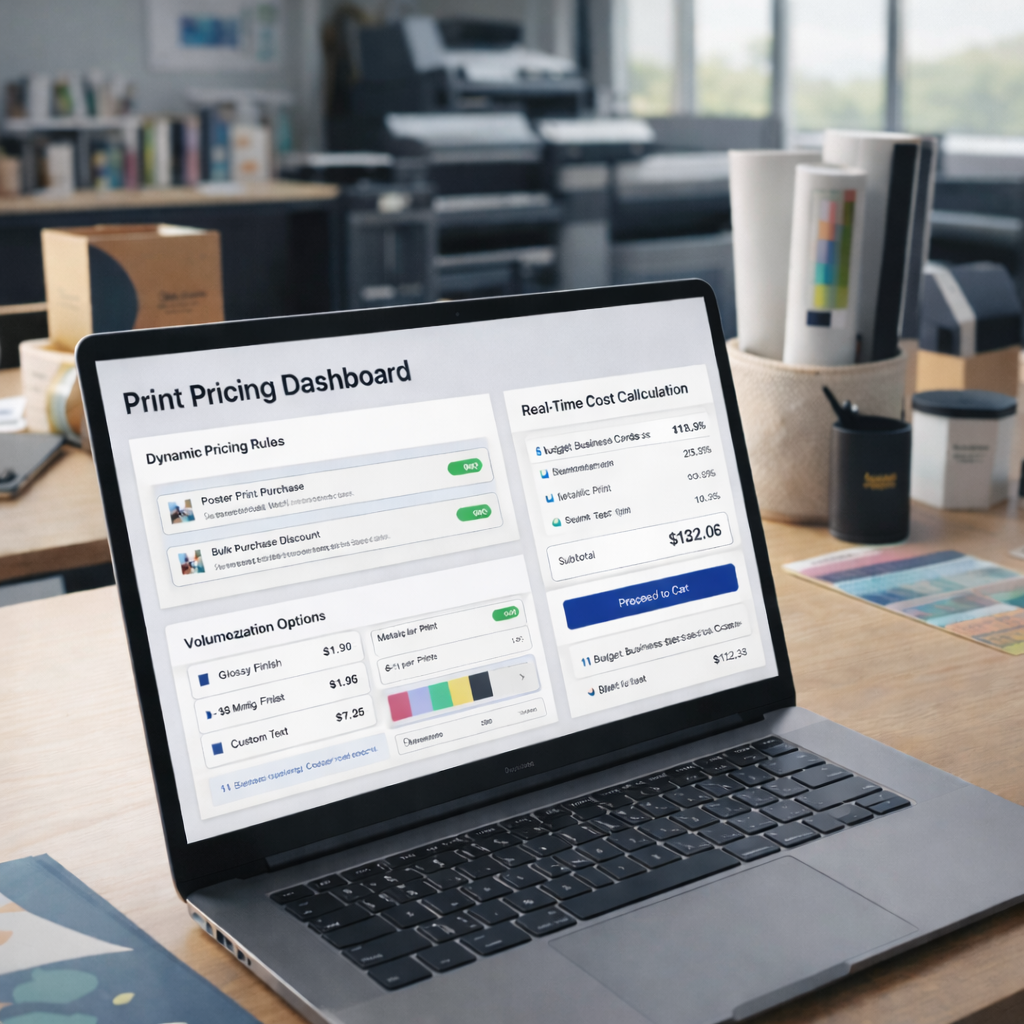
Traditional “set it and forget it” pricing doesn’t work. Instead, print businesses must combine real-time cost calculation, dynamic pricing models, and effective use of automation.


Modern Pricing Models for Web-to-Print
custom print product pricing strategies for web-to-print businesses

1. Cost-Plus Pricing

Calculate total costs (materials, labor, overhead, shipping) and add a target profit margin. This is common in traditional print, but with complex custom jobs, automation is key to accurately calculating costs per unique order.

2. Value-Based Pricing

Set prices based on the perceived value to your customer. For example, a personalized wedding album or branded business kit often commands a higher markup than a simple reprint. Use market research, competitor benchmarking, and customer feedback to calibrate value-based models.

3. Tiered and Volume Pricing

Offer discounts for bulk orders, different finish levels, or service speed (i.e., standard vs. express print). This entices higher cart values without making single-item orders unprofitable.

4. Dynamic Pricing Engines

Automated pricing tools adjust costs in real time based on demand, raw material prices, or order urgency. Modern web-to-print platforms like PrintPoz enable businesses to implement dynamic pricing engines, automate cost calculations, and adjust prices in real time based on customization, volume, and production costs.

5. Subscription and Package Pricing

Offer “print bundles” – such as monthly marketing collateral packages or yearly photo calendars—to lock in recurring revenue and give customers a deal for long-term loyalty.


Practical Pricing Tips & Cost Control

  • Use automated job calculators in your web-to-print system to factor in every order’s unique attributes (size, color, materials, setup).
  • Regularly audit supplier costs and update your pricing database accordingly.
  • Add “add-on” pricing for premium services: rush production, design review, luxury finishes, or sustainable materials.
  • Highlight value in your product descriptions (“Printed with eco-friendly inks on archival paper,” etc.) to justify premium pricing.
  • Test and optimize: Run periodic promotions or A/B test bundle offers to see how pricing impacts conversions.

Real-World Examples

  • Bulk Discount Model: A B2B print supplier uses PrintPoz to apply 10%–20% discounts automatically on corporate orders above a threshold, increasing cart size without sacrificing margin.
  • Personalization Fee: An online photo gifts shop adds a small, automated “customization charge” for unique designs, offsetting the labor cost while keeping base products affordable.
  • Dynamic Price Updates: A signage business uses live paper and ink pricing data integrations to keep quotes profitable even when supply costs fluctuate.
  • Automated Pricing for Personalized Products: Personalized photo product platforms such as Quick Calendar Album show how automated pricing and customization charges help businesses balance affordability with profitability for highly personalized print products

How PrintPoz Streamlines Pricing

PrintPoz’s platform features built-in pricing engines that let you:

  • Set prices by product, customization, material, and order volume
  • Instantly update pricing rules across SKUs
  • Display transparent, live pricing to customers while they design
  • Offer promo codes, bundles, and recurring packages with ease

This not only simplifies setup but improves customer trust and conversion – since costs are always accurate and competitive.


Quick Implementation Checklist

  • Audit all cost inputs (raw materials, shipping, labor, software fees)
  • Set up dynamic or rule-based pricing in your web-to-print software
  • Build out volume discounts, bundles, and add-on pricing for premium options
  • Monitor performance data to spot margin erosion or profit spikes
  • Make pricing review a quarterly habit as markets shift

Conclusion: Turn Pricing Into a Competitive Edge

Well-structured custom print product pricing strategies turn pricing from a risk into a powerful growth tool.

Don’t view pricing as a one-off task; it’s a lever you can constantly fine-tune to balance competitiveness and profitability. With robust web-to-print tools and the right strategy, you can automate complex pricing, please customers, and drive your business’s bottom line – no matter how custom your offerings.

By refining custom print product pricing strategies over time, print businesses gain better control over margins, improve pricing transparency, and respond confidently to changing customer demands and production costs.

Discover PrintPoz’s advanced pricing automation and see how you can maximize profit and flexibility across your entire product catalog.


The-Psychology-of-Print-Personalization-How-Custom-Products-Drive-Customer-Loyalty

7 Powerful Print Personalization Psychology Principles

Print personalization psychology explains why customized print products turn casual buyers into loyal customers. In today’s highly competitive web-to-print landscape, brands that understand the emotional and psychological triggers behind personalization are building deeper connections and gaining a powerful edge. For print shop owners, web-to-print business managers, and marketers, unlocking the science of personalization is key to boosting loyalty, advocacy, and sales.

Print personalization psychology explains why customers feel emotionally connected to custom print products and why personalized items consistently drive higher loyalty and repeat purchases in the web-to-print industry.


Print Personalization Psychology: Why Personalization Works on the Human Mind

print personalization psychology showing how custom print products create emotional connection and customer loyalty

From a behavioural standpoint, print personalization psychology focuses on how involvement in design decisions increases perceived value, emotional attachment, and long-term brand trust.

1. The IKEA Effect in Print Personalization Psychology

Research shows people value products they help create – what psychologists call the “IKEA Effect.” When customers personalize a mug, t-shirt, or photobook, their sense of ownership and emotional investment skyrockets. According to a 2025 survey, 65% of online buyers are more likely to repurchase personalized items and leave positive reviews.

Action:
Leverage PrintPoz’s design tools that empower customers to add names, photos, or custom art for a sense of co-creation.

2. Memories and Emotional Triggers

Printed memories – family photos, milestone events, pet images – are powerfully evocative. Personalization taps into nostalgia, pride, and joy, forging an emotional bridge between customer and brand. Photo books, calendars, and art prints are among the highest repeat purchase categories thanks to their sentimental value.

Platforms like Smart Selection demonstrate how personalization and user-driven customization help brands create stronger emotional connections and improve repeat purchase behaviour in digital commerce.


The Business Impact: Higher Loyalty, Bigger Carts

Personalized Products Drive Repeat Sales

A 2025 market study revealed that shoppers exposed to personalized merchandise are 2.5 times more likely to make another purchase within six months. Beyond initial sales, this increases lifetime value and reduces churn.

Word-of-Mouth and User-Generated Content

When people receive something “uniquely theirs,” they share it! Social posts, unboxing videos, and online testimonials serve as free marketing. Web-to-print businesses using customer galleries or design showcases see social referrals rise by over 30%.


Actionable Tips for Leveraging Personalization

1. Simplify the Experience

Don’t overwhelm customers with options. Offer easy-to-use editors, quick-start templates, and intelligent autofill for names, dates, and images – features all built into PrintPoz’s intuitive platform.

For print businesses looking to implement personalization at scale, platforms like PrintPoz provide built-in tools that simplify custom product creation, live previews, and repeat ordering within a single web-to-print workflow.

2. Use Smart Recommendations

AI-powered upselling (“other customers added a mug with this design”) and pre-designed inspiration can dramatically increase conversion rates – up to 15% higher average order values when bundled suggestions are used.

3. Highlight Stories, Not Specs

Promote customer stories and showcase user-created designs on your home page or Instagram. This taps into an aspirational mindset and makes buyers feel part of a community.

4. Prioritize Quality Assurance

Quality control is crucial for personalized prints. Use high-res previews, live proofing, and automated image checks to ensure every creation feels special (and free of production errors).


Real-World Example: Building Loyalty

Case Study:
A boutique online print shop using PrintPoz saw repeat customer rates climb from 21% to 34% after upgrading to a personalized product builder, launching “Design of the Week” contests, and featuring real buyer stories in email campaigns. Positive reviews and organic Instagram tags tripled within six months.


Personalization Checklist for Print Businesses

  • Enable easy customization for your most popular products (mugs, shirts, photo gifts, stationery)
  • Integrate user-friendly design tools with live mobile/desktop previews
  • Leverage AI and customer data to suggest meaningful product ideas
  • Collect and display user stories, testimonials, and user-generated content
  • Offer loyalty perks or discounts for return buyers of personalized products

PrintPoz Makes Personalization Easy

Our platform gives your customers and your team the tools to create, preview, and order custom products with confidence. From live previews to bundled promotional campaigns, everything is built for engagement and repeat business.

By applying print personalization psychology, print businesses can move beyond transactional sales and build deeper emotional relationships that translate into long-term customer loyalty.

Explore PrintPoz’s personalization features and start turning one-time buyers into lifelong brand advocates.

Mobile-First Web-to-Print-Optimizing-Design-Tools-for-Smartphone-and-Tablet-Users

Mobile-First Web-to-Print Design Optimization

Mobile-first web-to-print is rapidly becoming the standard as the way customers interact with print businesses has fundamentally shifted. Today, nearly 60% of web-to-print orders start on a mobile device. For web-to-print business owners and managers, embracing a mobile-first approach isn’t just a trend – it’s mission-critical for driving growth, improving customer experience, and staying ahead of the competition in 2025.

A mobile-first web-to-print strategy ensures customers can design, order, and track print products easily from their smartphones without friction. A mobile-first web-to-print strategy ensures customers can design, order, and track print products easily from their smartphones without friction.

In this article, we’ll explore why mobile-first matters, how to optimize your design tools for smartphone and tablet users, and actionable strategies that will help you corner the fast-growing mobile market.


Why Mobile-First Matters in Web-to-Print

mobile-first web-to-print platform showing customers designing print products on a smartphone

A mobile-first web-to-print approach ensures print customers can browse, design, and place orders seamlessly on smartphones and tablets without friction.

1. The Numbers Don’t Lie

  • Over 70% of B2C print shoppers prefer browsing, designing, and ordering on mobile devices.
  • Print e-commerce conversion rates rise by up to 20% when the mobile experience is seamless and fast.
  • Google’s mobile-first indexing means top search visibility now favors businesses with mobile-optimized sites and tools.

2. Customer Behavior Has Changed

Modern print customers – whether ordering business cards, custom apparel, or photobooks – demand convenience. They want to:

  • Start a design on their phone in the café
  • Edit it on a tablet during their commute
  • Place and track orders from anywhere, anytime

Without a truly mobile-first experience, you risk losing these high-value, on-the-go buyers.


What Makes a Web-to-Print Tool Truly Mobile-First?

A mobile-first web-to-print platform prioritizes touch-friendly design tools, fast loading speeds, and seamless checkout experiences on mobile devices.

Responsive Design Is Just the Beginning

A mobile-first platform doesn’t just “shrink” your desktop site to fit small screens. It reimagines the entire workflow for touch navigation, quick loading, and thumb-friendly interactions.

Essential features:

  • Touch-optimized navigation: Buttons sized for fingers, swiping, not pinching
  • Fast, lightweight pages: Minimal load times even on slower mobile networks
  • Real-time previews: Instantly see design changes on screen
  • Mobile-friendly editors: Drag, drop, resize, and rotate elements with a fingertip
  • One-click actions: Easy image uploads, swatches, checkout, and proof approvals

Cloud Integration and Data Sync

Customers expect to start a design on one device, save progress, and finish elsewhere. Cloud-based sync ensures every update and design stays accessible from mobile, tablet, or desktop.


Industry Examples: Leaders in Mobile-First Web-to-Print

  • Printbox Mobile Editor: Offers touch-optimized design interface, instant photo uploads from phone galleries, and cross-device saving, resulting in a higher rate of completed orders.
  • Printful App: Enables users to create, preview, and manage print-on-demand orders from their smartphones, pushing global expansion and convenience.

Platforms such as Smart Selection demonstrate how mobile-first, user-focused digital experiences help businesses improve customer engagement, streamline ordering, and increase conversions across online platforms.


Practical Tips for a Winning Mobile-First Strategy

1. Test Thoroughly Across Devices

Simulate the full customer journey on multiple devices and browsers. Iron out pain points like slow rendering, misplaced buttons, or awkward text.

2. Simplify Your Design Tools

Keep interfaces uncluttered. Offer only the most-used features on mobile, tucking advanced options behind menus. For example, prioritize quick image uploads and color selection over advanced typography tools.

3. Speed Is Everything

  • Compress images and code for speedy loads
  • Use progressive loading for design elements
  • Minimize pop-ups and unnecessary animations

4. Enable Mobile Payments and Autofill

Integrate secure, mobile-friendly payment gateways and ensure your checkout supports autofill for fast, error-free purchases.

5. Promote With Mobile-First Marketing

Use SMS, mobile push, and social ads to attract and retain customers. Encourage app installs if available and offer mobile-exclusive deals.


Implementation Checklist

  • Audit your current site and design tools for mobile performance (use Google Mobile-Friendly Test)
  • Choose a web-to-print platform like PrintPoz with built-in mobile optimization.
  • Train your team to support customers with mobile queries or issues
  • Monitor mobile conversion rates and customer satisfaction; tweak UX regularly

The PrintPoz Advantage

PrintPoz’s e-commerce platform is engineered for mobile commerce. With mobile-first web-to-print capabilities, PrintPoz helps print businesses offer intuitive design tools, one-tap order management, and cloud-synced editing that empower customers to create and order from anywhere.

By adopting a mobile-first web-to-print strategy, print businesses can improve conversion rates, enhance customer satisfaction, and capture the growing audience that prefers ordering on mobile devices.

Explore PrintPoz’s mobile-optimized design experience, and transform casual browsers into loyal customers with every thumb tap.

Overcoming-Common-Web-to-Print-Implementation-Challenges-A-Strategic-Approach

6 Web-to-Print Implementation Challenges & Solutions

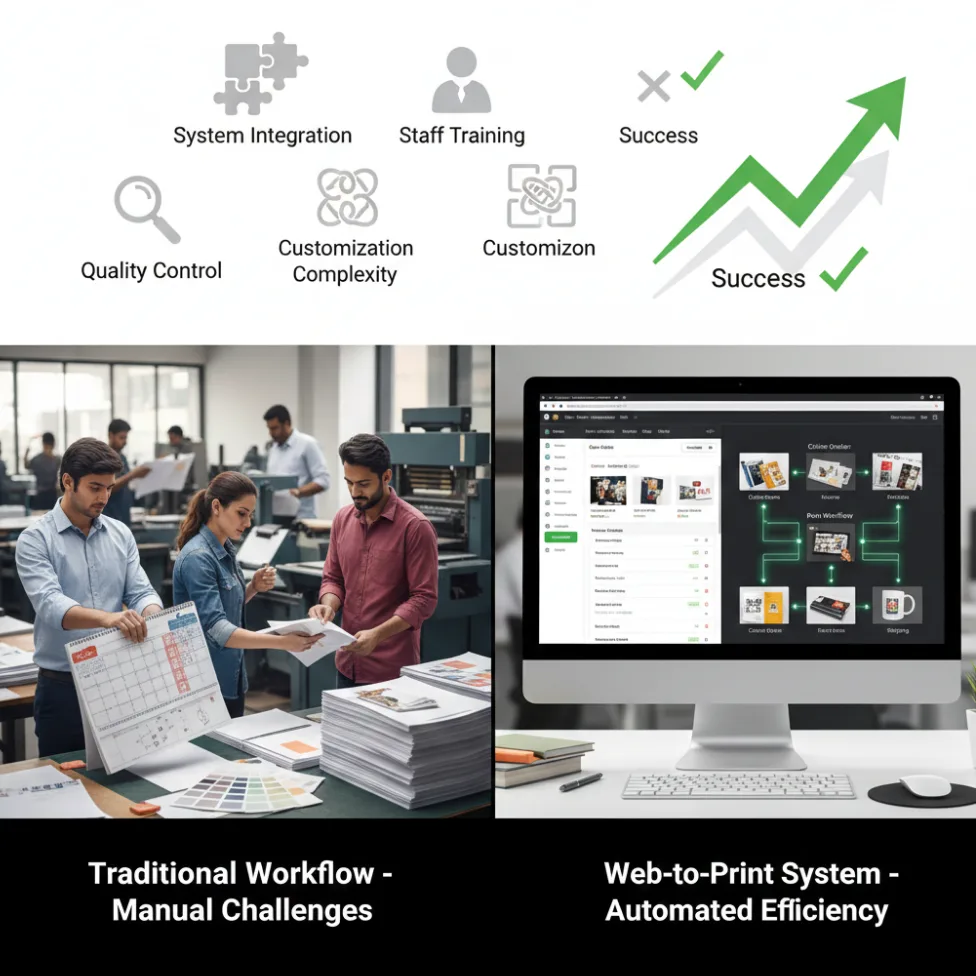
Web-to-print implementation challenges often arise when print businesses transition from traditional workflows to fully digital ordering systems.

Web-to-print implementation challenges are a natural part of any digital transformation in the print industry. As print businesses move from manual workflows to online ordering systems, these web-to-print implementation challenges can impact integration, staff adoption, customization control, and overall ROI. Identifying web-to-print implementation challenges early helps businesses plan smarter rollouts and avoid costly disruptions.

Adopting a web-to-print platform unlocks enormous benefits – from workflow automation to increased order capacity and improved customer convenience. Yet, the journey from traditional printing to a fully integrated online solution isn’t without obstacles. For web-to-print business owners, print shop managers, or anyone considering a digital transformation, understanding and overcoming common hurdles is essential for success.

web-to-print implementation challenges in print business digital transformation

Web-to-Print Implementation Challenges Print Businesses Commonly Face

1. Integration with Existing Systems

Reality check: Legacy systems, such as MIS, accounting, CRM, or manual production schedules, don’t always “play nice” with new web-to-print solutions. Data silos and duplication risks can cause inefficiency and confusion if not managed early.

Example: A mid-sized print shop reported launching web-to-print but struggled with order synchronization because their production and invoicing tools weren’t connected, resulting in lost jobs and frustrated customers.

Actionable tips:

  • Choose web-to-print platforms (like PrintPoz) with proven APIs and flexible integration options.
  • Modern print businesses often rely on modular tools like Quickorders to centralize online orders and reduce dependency on manual data entry during web-to-print implementation.
  • Start with pilot integrations (i.e., orders and inventory) before pushing for complete system integration.
  • Schedule regular data audits during rollout.

2. Staff Training and Change Management

Reality check: Automation triggers worry about job security and resistance to change. Even the best software will fail if staff lack training or buy-in.

Example: A survey in 2025 found that 65% of print businesses cited staff resistance as a top reason for slow technology adoption.

Actionable tips:

  • Involve key staff early – ask for input on workflow changes and feature needs.
  • Provide hands-on training, tutorials, and ongoing support.
  • Show real benefits (reduced repetitive tasks, faster order processing) to boost enthusiasm.

3. Managing Customization Complexity

Reality check: Web-to-print unlocks limitless customization, which is great for customers, but can overwhelm production teams if not streamlined.

Example: Businesses offering too many product variations (+50 templates, unlimited SKUs) experienced bottlenecks in artwork approval and increased errors.

Automation-focused solutions such as PDF Imposer help streamline file preparation, automate imposition workflows, and minimize production errors caused by complex customization.

Actionable tips:

  • Start with a curated selection of the most popular customizable products.
  • Use automation for proofing, file pre-flight, and template management.
  • Leverage PrintPoz’s design tools for error checking and preset options to control customization scope.

4. Cost Overruns and Underestimated Resources

Reality check: Underestimating costs for system setup, integration, training, and ongoing support can threaten project ROI.

Example: A US print franchise underestimated its migration budget by 40% and delayed rollout by six months due to hidden costs in legacy data cleanup and third-party software connections.

Actionable tips:

  • Prepare a detailed implementation roadmap, including all anticipated costs and timelines.
  • Use phased rollouts to validate processes before scaling fully.
  • Budget for post-launch support.

5. Quality Control and Consistency

Reality check: Moving from manual to automated ordering introduces variability in data entry, artwork uploads, and proofing. If not managed, this can impact print quality.

Example: A European printer suffered a spike in reprints after web-to-print launch due to lax file standards and untested templates – cutting into margins.

Actionable tips:

  • Enforce standardized artwork upload specs and automated file checks (resolution, bleed, color).
  • For print businesses handling calendar and album products, platforms like Quick Calendar Album support standardized layouts and automated checks that improve print consistency and reduce costly reprints.
  • Use digital proofs and real-time review tools.
  • Establish routine QA audits, especially post-launch.

6. Customer Adoption and Usability

Reality check: Even the slickest platform can flop if customers find it confusing, slow, or unintuitive.

Tools focused on intelligent product selection, such as Smart Selection, can simplify user choices and improve customer adoption during web-to-print platform rollouts.

Example: Poor onboarding resources led to 30% higher cart abandonment for a major online print provider.

Actionable tips:

  • Choose a web-to-print supplier focused on user experience – PrintPoz offers live previews and help guides.
  • Provide quick-start videos and FAQs.
  • Gather feedback and iterate on your interface for continuous improvement.

Practical Strategies to Overcome Web-to-Print Adoption Issues

  1. Assessment & Planning
    • Map current workflows and pinpoint inefficiencies.
    • Set clear, measurable implementation goals.
    • Identify key team members for a cross-functional “adoption team.”
  2. Set Up & Integration (Pilot Phase)
    • Launch with core products and limited automation to test workflows.
    • Integrate web-to-print orders with inventory and production tracking.
    • Solicit team and customer feedback before full deployment.
  3. Full-Scale Rollout & Monitoring
    • Expand automation to cover artwork approval, proofing, shipping notifications, and CRM.
    • Monitor KPIs such as order turnaround, error rates, and customer satisfaction.
    • Adjust processes and automate more tasks as the team and customers adapt.
  4. Ongoing Optimization
    • Schedule training refreshers and advanced feature workshops.
    • Regularly update products, templates, and integrations based on analytics and feedback.
    • Use PrintPoz analytics to uncover further automation opportunities.

Key Takeaways and Success Checklist

  • Prioritize robust integration and start small – complexity grows over time, but doesn’t need to overwhelm day one.
  • Invest in training and bring your team into the journey.
  • Leverage automation, but maintain quality checks.
  • Simplify the customer experience for higher platform adoption.

Successfully overcoming web-to-print implementation challenges requires a balance of technology, people, and process optimization, ensuring long-term scalability and customer satisfaction.

PrintPoz’s order management, design automation, and workflow tracking help print businesses overcome the common hurdles of digital transformation. From template-driven customization to quality control and detailed analytics, PrintPoz simplifies every stage of overcoming web-to-print implementation challenges.


Primary keyword: web-to-print implementation challenges

Meta title: Web-to-Print Implementation Challenges & Solutions 2025

Meta description: Discover how to solve web-to-print implementation challenges with practical strategies and tools. Overcome integration, training, and ROI risks in 2025.

Building-Customer-Trust-in-Web-to-Print-From-Design-Preview-to-Final-Product

5 Proven Ways to Build Trust in Web-to-Print

Trust is the foundation of every successful web-to-print business. As online print shops and custom product sellers compete in a crowded digital marketplace, one thing sets the winners apart: the confidence they inspire in their customers. From the first design preview to the delivery of a flawless final product, every experience must reassure buyers that what they see is exactly what they’ll get.

Here’s how web-to-print business owners and managers can systematically build and maintain customer trust throughout the print journey in 2025.


Why Building Customer Trust in Web-to-Print Matters

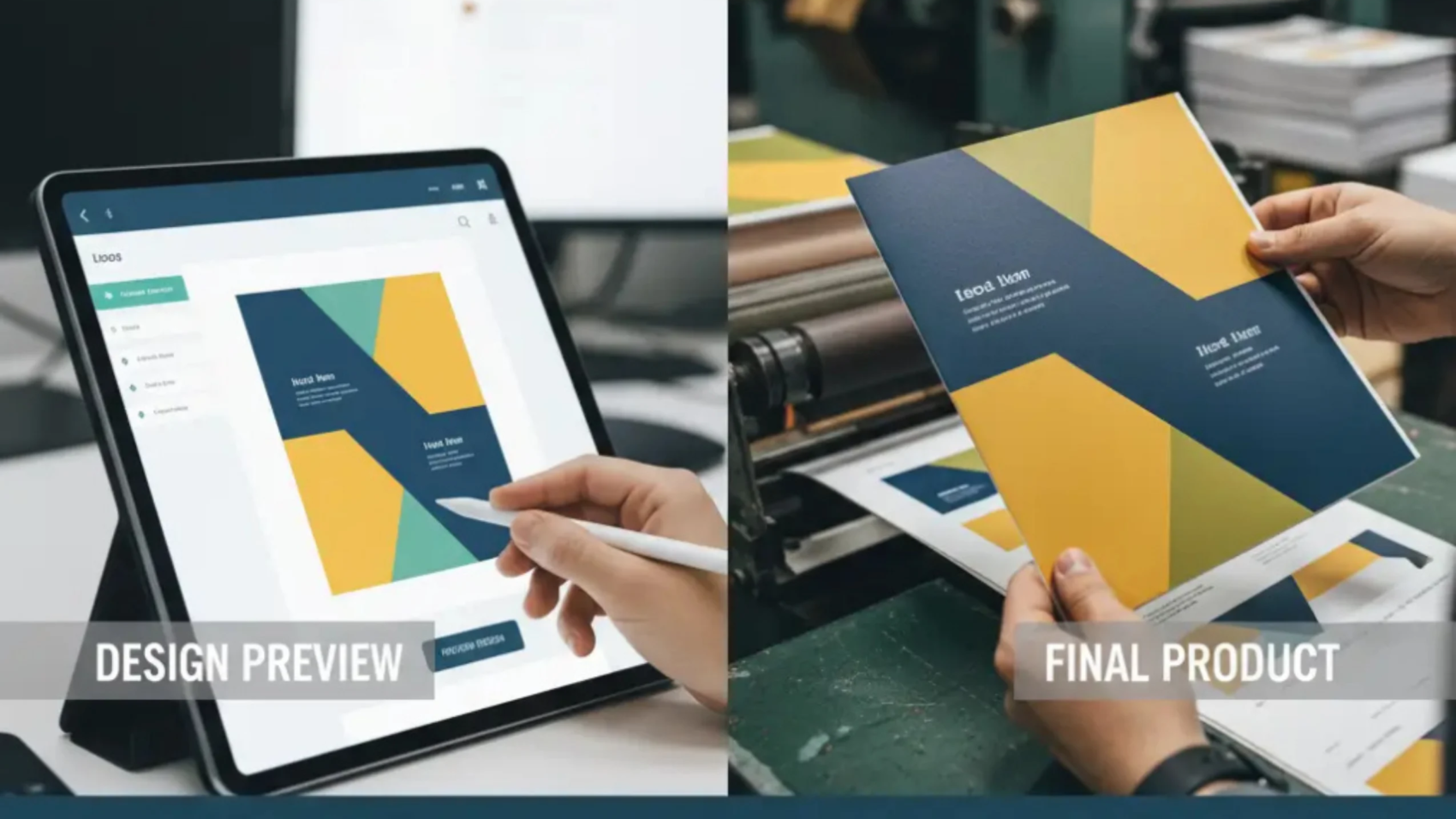
build customer trust in web-to-print from design preview to final product

To build customer trust in web-to-print, print businesses must focus on transparency, accuracy, and consistent communication at every stage of the ordering journey. When customers feel confident in previews, approvals, and delivery expectations, they are far more likely to return and recommend your platform.

  • Unlike off-the-shelf products, custom prints are highly personal – mistakes mean disappointment, lost time, and ruined loyalty.
  • 82% of online shoppers say they won’t reorder after a bad custom product experience, even if the mistake gets fixed later.
  • Positive trust triggers (accurate previews, clear communication, secure payment, quality delivery) drive reviews, referrals, and long-term value.

Trust-Builders Every Great Print Business Needs

1. Accurate, Live Design Previews That Build Customer Trust in Web-to-Print

Show customers a high-fidelity, to-scale preview (2D or 3D) of their design – on the actual product, in correct colors, and perspectives. Let them rotate, zoom, or view side-by-side with real photos.

Order management tools such as Quickorders help ensure design data flows accurately from customer preview to production, reducing manual errors and increasing customer confidence.

Example: PrintPoz’s live designer not only renders accurate previews but flags low-quality images, out-of-bounds text, or sizing errors before checkout.

2. Transparent Proofing and Approval

Enable easy proof download, one-click digital approvals, and saved design histories. Notify customers at each step – file received, proof ready, approval needed, order in production.

Tip: Automated, timestamped communications show you’re organized and professional.

3. Clear Production and Shipping Updates

Send proactive status emails or SMS:

  • “Your custom mug is being printed.”
  • “Orders shipped – track here”
  • “Expect delivery by TOMORROW”

Research: Businesses with automated, transparent notifications see 27% fewer “where’s my order?” queries.

4. Consistency Between Screen and Product

Use color-calibrated screens, print profile management, and quality control workflows. Address common customer worries (“Will the colors match?”) with education or guarantee policies.

Offer side-by-side examples or video confirmations – showing digital design beside the finished piece.

5. Secure, Hassle-Free Payments

Trust isn’t just about the product. Secure payment gateways, easy refunds, and data privacy options reduce last-minute cart abandonment.


Handling Issues With Transparency

How you respond to mistakes plays a major role in how customers perceive your brand, and it directly impacts long-term trust in your web-to-print experience.

Mistakes happen – even in the best-run shops. Customers will trust you more if you:

  • Respond quickly and honestly (“We see the issue, here’s how we’ll fix it.”)
  • Offer proactive solutions (free reprint, refund, or discount)
  • Collect and share success stories or testimonials from customers whose problems were resolved to their satisfaction.

Trust-Boosting PrintPoz Features

  • Design-to-product preview: Live 3D and high-res 2D product mockups
  • Automated proofing and approval workflows: Instant feedback and order status flows
  • Order tracking: Always up-to-date, customer-facing dashboards
  • Quality assurance: Built-in image validation, color profile enforcement, and customer communication queue

Platforms like PrintPoz are designed to help print businesses build customer trust through accurate design previews, automated proofing, transparent order tracking, and built-in quality checks across the entire web-to-print workflow.

See PrintPoz’s workflow in action – designed from the ground up for transparency, predictability, and customer confidence.


Tips for Building (and Keeping) Customer Trust

  • Regularly review and update your onboarding, proofing, and communication workflow.s
  • Display “what you see is what you get” assurances, certificates (if any), and trusted payment badges.
  • Showcase unfiltered customer reviews and visual testimonials directly on the product page.s
  • Encourage feedback after every order – then act on it to keep improving.ng

Conclusion: Trust – Your Greatest Print Business Asset

Businesses that consistently earn customer trust across their web-to-print workflows create stronger relationships, higher lifetime value, and long-term competitive advantage.

No level of automation, product variety, or even price can match the business power of trust. As you scale your print shop or online platform, keep customer confidence at the heart of every step – from the first preview to the moment your product lands in their hands. Loyal, trusting customers are the ones who return and refer, fueling your long-term success.

The-Complete-Guide-to-Web-to-Print-Automation-Streamlining-Your-Print-Business-in-2025

Web-to-Print Automation Guide for 2025

In today’s competitive printing landscape, manual processes are no longer sustainable. With the global web-to-print market projected to reach $44.65 billion by 2032 and businesses demanding faster turnaround times, print automation has become essential for survival and growth. This comprehensive guide explores how web-to-print automation can transform your printing operations, reduce costs, and position your business for scalable success in 2025.

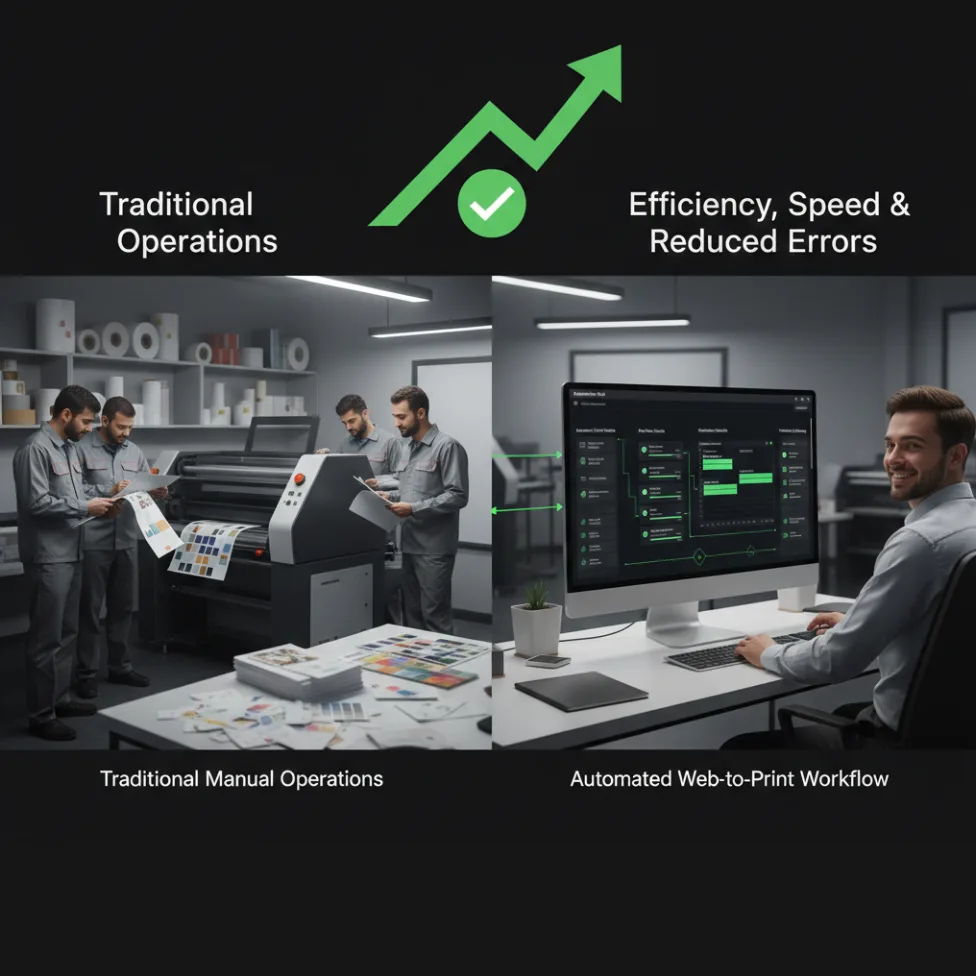
web-to-print automation for streamlining print business workflows

What is Web-to-Print Automation?

Web-to-print automation encompasses the integration of digital technologies that streamline your entire print production workflow – from initial order intake to final delivery. Unlike traditional printing operations that rely heavily on manual intervention, automated web-to-print systems enable touchless processing, intelligent job scheduling, and seamless integration between customer-facing platforms and production systems.

Modern web-to-print automation combines artificial intelligence, machine learning, and workflow management software to eliminate bottlenecks, reduce human error, and optimize resource allocation. This technology allows print businesses to process thousands of orders daily while maintaining consistent quality and meeting tight deadlines.

The Business Case for Print Automation in 2025

The statistics paint a compelling picture for automation adoption. According to recent industry research, 51% of employees spend at least two hours daily on repetitive tasks that could be automated. For print businesses, this translates into significant productivity gains and cost savings.

Proven ROI from Industry Leaders

Real-world case studies demonstrate the tangible benefits of web-to-print automation. Direct Response Imaging, a small commercial printer, achieved payback on their automation investment within just three months. Their automated system reduced manual order processing from tedious Excel-based workflows to streamlined, automated operations.

Similarly, DPI Inc. processes 3,000 to 4,000 orders daily through their automated system, something that would be impossible with manual processes. As their president noted, “There is no way we could handle this volume without automation. You could throw people at it, but you could never afford to do it that way.”

Citrus College achieved remarkable results with their web-to-print automation implementation, seeing a 50% improvement in job turnaround times and a 17% volume increase without adding staff. This demonstrates how automation enables businesses to scale efficiently without proportional increases in labor costs.

Key Components of Web-to-Print Automation

1. Automated Order Management

Modern web-to-print platforms eliminate manual order entry by enabling customers to submit jobs directly through online storefronts. PrintPoz’s intuitive design tools allow customers to customize products, upload files, and place orders 24/7, reducing the administrative burden on your staff while improving customer satisfaction.

Automated order management systems provide real-time tracking, automatic job routing, and intelligent prioritization based on deadlines and production capacity. This ensures optimal resource utilization and prevents bottlenecks that commonly plague manual operations.

2. Intelligent Pre-Press Automation

Pre-press operations – including pre-flighting, file preparation, and proofing – consume significant time and resources in traditional workflows. Automated pre-press systems can detect and correct common issues like low-resolution images, incorrect color profiles, and improper margins before production begins.

PrintPoz’s comprehensive printing solutions include automated pre-flight checks that identify potential issues early, reducing reprints and material waste. This quality control automation ensures consistent output while minimizing the need for manual intervention.

3. Production Scheduling and Resource Optimization

Automated production scheduling systems analyze incoming orders, available resources, and delivery deadlines to create optimal production sequences. This intelligent scheduling reduces idle time, maximizes equipment utilization, and ensures on-time delivery.

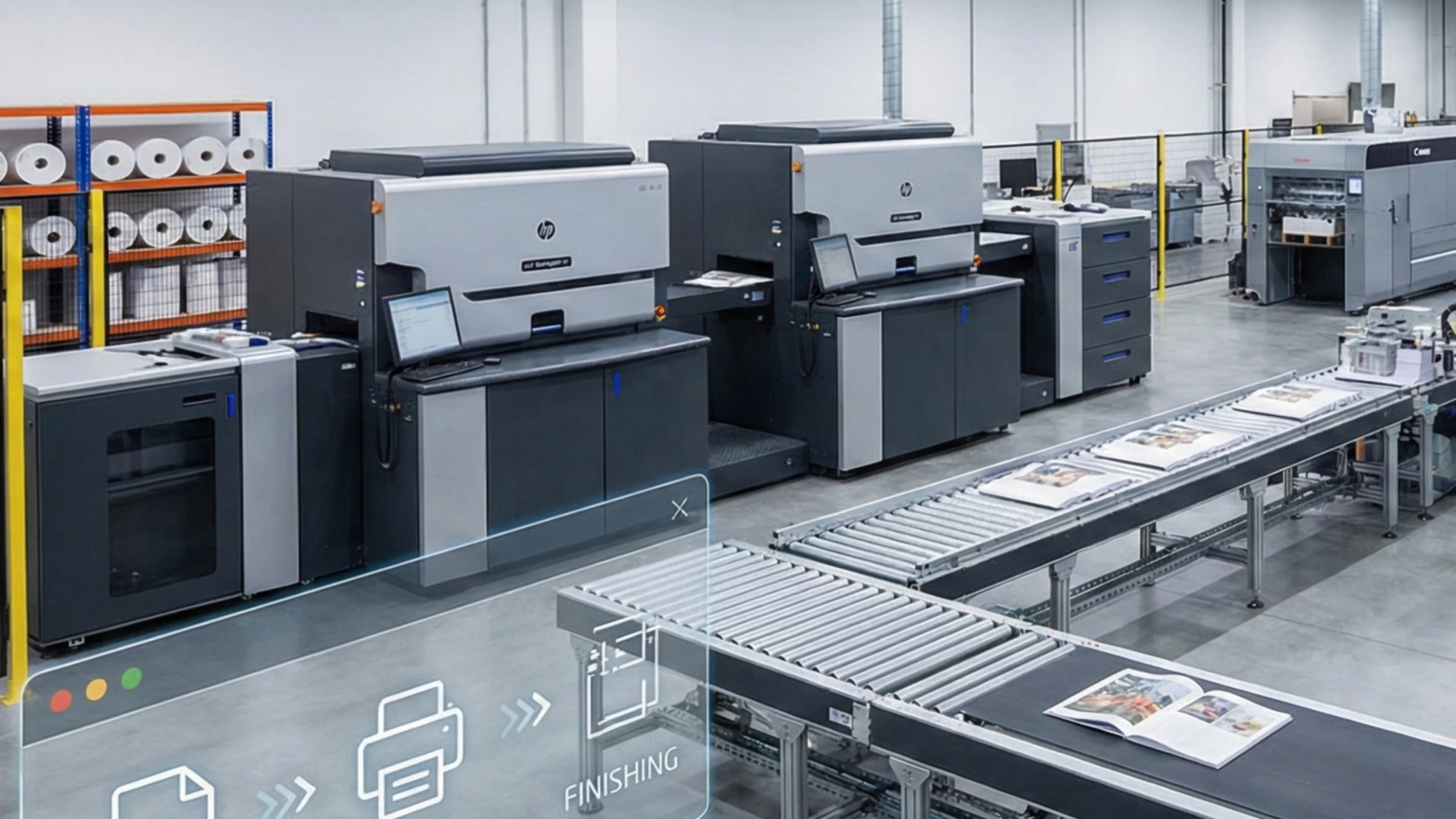
HP Site Flow, a leading workflow automation platform, demonstrates how automated scheduling can consolidate orders, optimize batches, and streamline production to maximize device efficiency. Similar capabilities integrated into PrintPoz’s e-commerce platform enable seamless workflow management from order to delivery.

4. Post-Press and Fulfillment Automation

The final stages of print production – cutting, binding, finishing, and shipping – can also benefit from automation. Barcode-driven finishing systems, automated packaging, and integrated shipping solutions reduce manual touchpoints and accelerate order fulfillment.

Measuring the ROI of Web-to-Print Automation

Calculating Your Automation Investment Return

To determine the financial impact of web-to-print automation, consider these key metrics:

Cost Reduction Factors:

  • Reduced labor costs through task automation
  • Minimized material waste through optimized production planning
  • Decreased error rates and elimination of costly reprints
  • Lower administrative overhead through streamlined processes

Revenue Enhancement Factors:

  • Increased order capacity without proportional staff increases
  • Faster turnaround times enabling premium pricing
  • 24/7 order acceptance through automated storefronts
  • Improved customer satisfaction leading to repeat business

Sample ROI Calculation

Consider a print business processing 1,000 jobs monthly with current manual costs of $12 per job. With automation reducing processing costs to $3 per job:

  • Monthly savings: (1,000 × $12) – (1,000 × $3) = $9,000
  • Annual savings: $108,000
  • If automation implementation costs $40,000, ROI = ($108,000 – $40,000) / $40,000 = 170%

This conservative calculation doesn’t include additional benefits like increased capacity, reduced error rates, or premium pricing opportunities.

Implementation Strategy: Your Web-to-Print Automation Roadmap

Phase 1: Assessment and Planning (Weeks 1-4)

Workflow Analysis Checklist:

  • Document current order processing times and costs
  • Identify manual bottlenecks and repetitive tasks
  • Analyze error rates and associated costs
  • Evaluate current capacity constraints
  • Assess integration requirements with existing systems

Goal Setting:

  • Define specific automation objectives (e.g., reduce processing time by 50%)
  • Establish ROI targets and timeline expectations
  • Identify key performance indicators for success measurement

Phase 2: Platform Selection and Setup (Weeks 5-8)

Choose a comprehensive web-to-print solution like PrintPoz that offers:

  • Intuitive design tools for customer self-service
  • Automated order processing and job routing
  • Integration capabilities with existing production systems
  • Scalable cloud-based architecture
  • Real-time analytics and reporting

Integration Considerations:

  • CRM system connectivity for customer management
  • Accounting software integration for automated billing
  • Production equipment compatibility
  • Shipping carrier integration for fulfillment automation

Phase 3: Pilot Implementation (Weeks 9-12)

Start with a subset of products or customer segments to minimize risk:

  • Configure basic product templates and pricing rules
  • Set up automated workflows for selected job types
  • Train initial staff on new processes
  • Monitor performance metrics and gather feedback

Phase 4: Full Rollout and Optimization (Weeks 13-16)

  • Expand automation to complete product catalog
  • Implement advanced features like AI-powered recommendations
  • Optimize workflows based on pilot phase learnings
  • Provide comprehensive staff training on all system capabilities

Advanced Automation Features for 2025

Artificial Intelligence Integration

The latest web-to-print platforms incorporate AI for enhanced automation capabilities:

  • Smart Design Recommendations: AI analyzes customer preferences to suggest relevant products and designs
  • Predictive Analytics: Machine learning algorithms forecast demand and optimize inventory
  • Automated Customer Service: AI chatbots handle routine inquiries 24/7
  • Quality Control: Computer vision systems detect defects and inconsistencies automatically

Mobile-First Automation

With mobile commerce growing rapidly, ensure your automation strategy includes mobile-optimized design tools and responsive customer interfaces. PrintPoz’s mobile-friendly platform enables customers to create and order custom products from any device, expanding your market reach.

Sustainability Through Automation

Environmental consciousness drives printing decisions, with 80% of consumers considering sustainability. Automation supports eco-friendly practices through:

  • Optimized material usage reducing waste
  • Digital proofing eliminating physical samples
  • Efficient routing minimizing transportation impact
  • Data-driven decisions supporting sustainable practices

Overcoming Common Implementation Challenges

Technical Integration Hurdles

Many businesses worry about integrating new automation systems with existing infrastructure. Choose platforms that offer robust APIs and proven integration capabilities. PrintPoz provides comprehensive technical support to ensure seamless integration with your current systems.

Staff Resistance and Training

Address automation concerns through transparent communication about benefits and comprehensive training programs. Emphasize how automation eliminates tedious tasks, allowing staff to focus on higher-value activities like customer relationship building and strategic planning.

Quality Control Concerns

Automated systems can actually improve quality consistency through standardized processes and real-time error detection. Implement gradual rollouts with thorough testing to build confidence in automated quality control systems.

Future-Proofing Your Print Business

Scalability Planning

Choose automation solutions that grow with your business. Cloud-based platforms like PrintPoz offer scalable infrastructure that handles increased order volumes without requiring additional hardware investments.

Data-Driven Decision Making

Leverage automation-generated data for strategic insights:

  • Order pattern analysis for inventory optimization
  • Customer behavior tracking for targeted marketing
  • Production efficiency metrics for continuous improvement
  • Profitability analysis by product category

Competitive Differentiation

Automation enables service offerings that manual operations cannot match:

  • Same-day turnaround for rush orders
  • 24/7 customer self-service capabilities
  • Personalized product recommendations
  • Real-time order tracking and updates

Conclusion: Embracing the Automated Future

Web-to-print automation is no longer a luxury – it’s a necessity for print businesses seeking sustainable growth in 2025. The combination of reduced costs, increased capacity, improved quality, and enhanced customer experience creates a compelling business case for automation investment.

Companies like PrintPoz are leading this transformation by providing comprehensive automation solutions that address the complete print workflow. From intuitive design tools and seamless e-commerce integration to automated production management and fulfillment, these platforms enable print businesses to compete effectively in today’s digital marketplace.

The question isn’t whether to automate – it’s how quickly you can implement these technologies to capture their benefits. Start your automation journey today by assessing your current workflows, identifying optimization opportunities, and selecting a platform that supports your growth objectives.

Ready to transform your print business with automation? Explore PrintPoz’s comprehensive web-to-print solutions and discover how automation can streamline your operations, reduce costs, and accelerate growth in 2025.

Wha- is-Web-to-Print-and-Why-It’s-the-Future-of-Printing

What Is Web-to-Print? 5 Powerful Reasons

What is web-to-print? The printing industry has come a long way from its traditional roots. With the rise of digital technology, things have dramatically evolved, bringing us into a new era of convenience and customisation. One of the most revolutionary advancements in this space is Web-to-Print software, a solution that’s transforming how businesses and customers interact with printed products.

For many print businesses exploring digital transformation, understanding what is web-to-print is the first step toward modernizing operations and improving customer experience.

This blog will break down the concept, explore its game-changing benefits, and examine how it’s shaping the printing landscape for businesses and customers alike. By the end, you’ll understand why investing in Web-to-Print technology is no longer a luxury but a necessity for modern printing businesses.

What Is Web-to-Print and How Does It Work?

what is web-to-print and how web-to-print software works for online printing

To understand what is web-to-print, it’s important to see how digital platforms replace manual print ordering with online design, customization, and automated production workflows.

At its core, Web-to-Print refers to an online digital platform that allows customers to design, customise, and order printed products directly through a website. Unlike traditional printing methods that often require back-and-forth communication, Web-to-Print software simplifies the process by providing user-friendly tools and real-time previews.

Modern web-to-print platforms like PrintPoz enable businesses to offer online design tools, real-time previews, automated order processing, and seamless production workflows—all through a single digital interface.

For instance, a customer can use an online print shop software to create custom business cards, banners, or photo albums. They can upload their designs, adjust layouts, and finalise the order – all from a browser-based interface. The ordering process is quick, intuitive, and flexible, making it ideal for personal and business use alike.

How It Works:

When learning what is web-to-print, it helps to break the process into simple steps that show how customers move from online design to final printed delivery.

  1. Customers visit the website of the printing provider.
  2. They select a product, such as brochures, mugs, or photo books.
  3. Using an intuitive design tool, they personalise the product with images, text, or graphics.
  4. Once the design is approved, they place the order and make payment.
  5. The printing company fulfils the order and dispatches it to the customer.

Now that you have a foundational understanding of Web-to-Print, let’s explore why it’s revolutionising the printing industry.

The Benefits of Web-to-Print Software

Once businesses clearly understand what is web-to-print, the operational, financial, and customer experience benefits of adopting this technology become obvious.

Web-to-Print isn’t just a passing trend – it’s a comprehensive solution that offers distinct advantages for both businesses and their customers. Here are some of its most impactful benefits:

1. Streamlined Order Process

Gone are the days of managing print orders through endless emails or phone calls. Web-to-Print simplifies every step of the process, from design creation to payment, enabling a seamless customer experience. This level of automation saves time and reduces the likelihood of errors, especially in large-scale print projects.

2. Enhanced Customer Experience

An online print shop software typically features a wide range of customizable options and a user-friendly interface. Customers can experiment with colours, text layouts, and sizes, all while viewing a live preview of their design. This transparency and control make the entire process enjoyable and engaging, building trust and loyalty.

3. Cost-Effectiveness

By automating repetitive processes such as design uploads and order tracking, Web-to-Print software reduces overhead costs. Plus, its scalability means businesses can operate without maintaining expensive stocks of pre-printed items, allowing for on-demand production that minimises waste.

4. Scalability for Businesses of All Sizes

Whether you’re a small online retailer or a large-scale photo book eCommerce platform, Web-to-Print software can adapt to your needs. Its customizable and modular frameworks allow businesses to start small and scale effortlessly as demand grows.

5. Real-Time Design Previews

One of the standout features of Web-to-Print technology is the ability to view designs in real-time. Customers can make tweaks instantly, ensuring the final product matches their vision. This reduces the back-and-forth revisions that often plague traditional printing workflows.

Revolutionising the Printing Industry

The reason what is web-to-print has become such a common question in the print industry is because this technology fundamentally changes how print businesses operate and scale.

Web-to-Print isn’t just an improvement – it’s a total game changer. By leveraging this technology, printing companies can unlock new opportunities, streamline their operations, and cater to the growing demand for personalisation.

1. Meeting the Demand for Customisation

Modern customers crave products that reflect their individuality, whether it’s a personalised photo book or branded merchandise. Web-to-Print allows businesses to meet this expectation with ease, offering diverse customisation options via an intuitive online platform.

2. Smoothing Operational Bottlenecks

Print businesses often face challenges in managing high volumes of orders efficiently. With centralised order management hubs and automated workflows, Web-to-Print eliminates bottlenecks and enhances productivity. Many platforms even integrate with mobile applications, allowing businesses to oversee operations remotely.

3. Optimising for E-Commerce

For businesses running an online print shop, integrating Web-to-Print software can provide a competitive edge. Imagine adding a photo book eCommerce platform to your existing store – customers could create bespoke photo albums directly from your website, boosting engagement and sales.

Real-World Applications of Web-to-Print

Understanding what is web-to-print becomes even clearer when you see how businesses apply this technology across branding, eCommerce, and personalized print products.

For businesses managing high volumes of custom print orders, tools such as Quickorders help centralize order intake, reduce manual coordination, and improve turnaround times.

To better understand how this technology is changing the industry, here are some practical examples of its impact:

  • Corporate Branding: Small businesses can customise marketing materials like flyers, posters, and business cards, making brand-building approachable and cost-effective.
  • E-commerce Growth: Many online retailers now feature Web-to-Print modules, enabling customers to create and order unique products without leaving the site.
  • Photo Products: Personalised mugs, T-shirts, and calendars are popular for gifts and special occasions. Web-to-Print software makes these products accessible and affordable for a wide range of customers.
  • Professional Photo Books: A dedicated photo book eCommerce platform can transform customer memories into professionally printed albums with just a few steps. By allowing customers to drag and drop photos, adjust layouts, and add text, businesses can create an engaging service experience.

The Future of Web-to-Print Technology

Web-to-Print is already making waves, but its future potential is even more exciting. Advancements in technology and changing consumer behaviours are poised to shape the evolution of this software. Here are a few trends to watch:

1. Artificial Intelligence Integration

Imagine a design tool that offers real-time suggestions based on your content, helping to perfect your layout automatically. AI is expected to play a critical role in enhancing Web-to-Print solutions, making them smarter and more intuitive.

2. Augmented Reality Previews

Future versions of online print shop software may integrate augmented reality (AR), allowing customers to visualise their products in real-world settings before completing the order.

3. Green and Sustainable Printing

With eco-consciousness on the rise, Web-to-Print platforms could incorporate features that calculate and offset carbon footprints, appealing to environmentally aware consumers.

4. Further E-Commerce Integration

We’re likely to see even deeper integration between Web-to-Print and eCommerce platforms, including multi-channel support and personalised marketing tools to enhance customer retention.


Final Thoughts

As more businesses ask what is web-to-print, it’s clear that this technology is redefining how printing services are designed, ordered, and delivered online.

Web-to-Print software is more than a technological innovation – it’s a paradigm shift that’s redefining the way we think about printing. By combining convenience, customisation, and cost-effectiveness, this technology is setting the stage for the future of the industry. Whether you’re a small business owner, a bustling photo book eCommerce platform, or a print shop looking to expand, adopting Web-to-Print is a smart move that promises to pay long-term dividends.

For businesses still exploring what is web-to-print, now is the ideal time to evaluate how this technology can modernize operations and future-proof print services.

The future of printing is here – are you ready to unlock its potential?